What are AR Principles?
AR Principles are the guiding foundation for designing experiences in see-through augmented reality. Every design decision and workflow is measured against these top-level fundamentals. In conjunction with the branding agency ManyOne, we created these principles for both internal Magic Leap designers and external AR developers.
Responsibility:
UX Design Lead
Original author of principles and guidelines
Results:
Magic Leap released our AR Principles documentation through social media stories and on our developer portal alongside all other developer documentation and best practices videos, and we printed coffee-table books to hand out to prospective OEM partners to showcase our AR design expertise. These principles were also included in the feedback documentation during reviews of 3rd-party apps with ISV developers. I don’t have any solid KPIs to base success on, but I did hear from several development studios that they consider them the gold standard for successful AR design.
AR Design Principles
We believe that the most important moments of our daily lives happen in the real world, together with other people.
Whether it's glasses designed for everyday use, or wearable workstations for industry professionals, our technology should bring us closer and make both work and everyday life a joy.
The following design principles are the beacons that lead us to create exceptional experiences in the real world, enabled by our optics technology.
Respect
Reality
Blend in Seamlessly
Prioritize Privacy
Maintain Situational Awareness Acknowledge Boundaries
Understand the Moment

01
01 Respect Reality
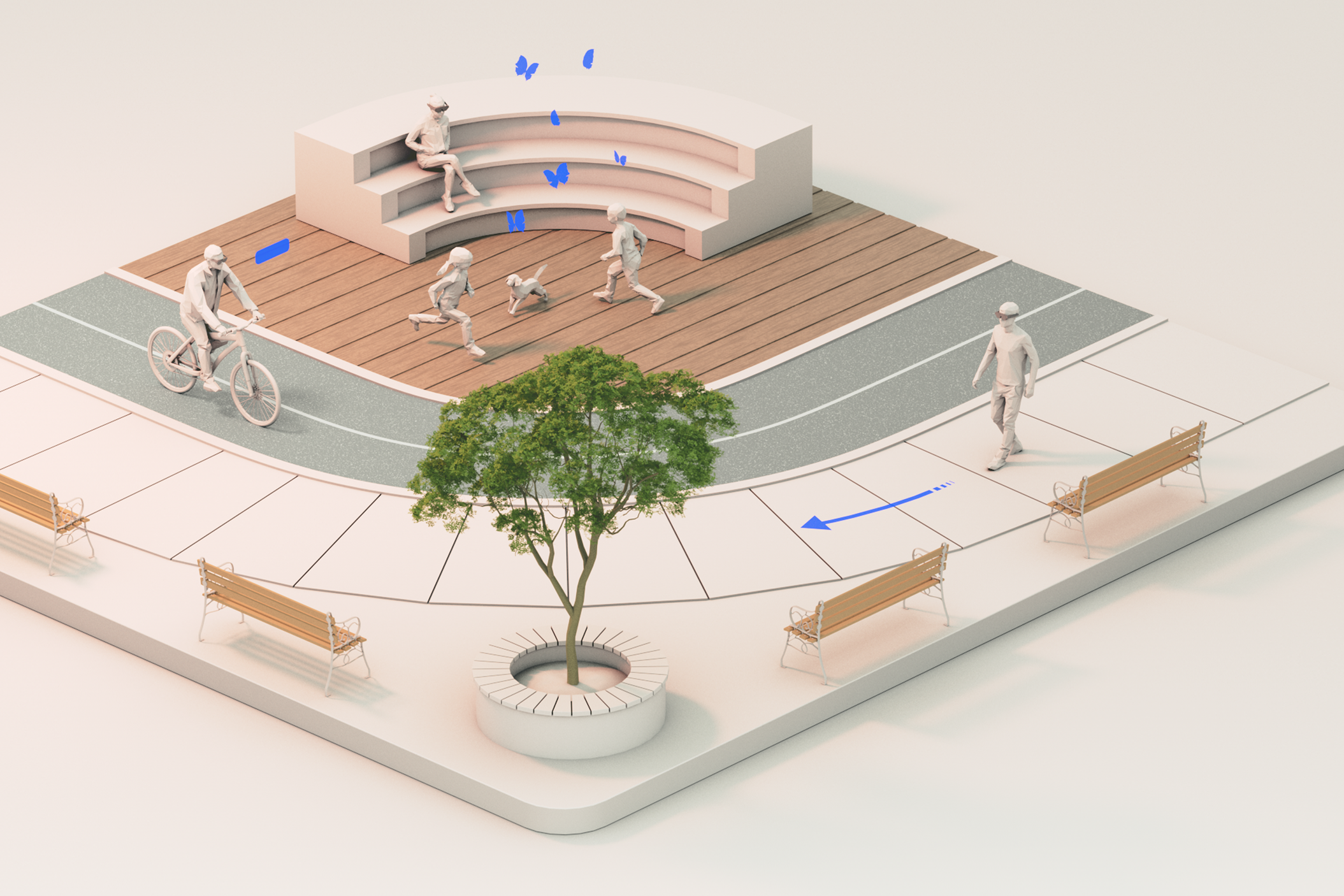
For decades, technology has helped us transcend time and space, making us more efficient while also connecting us with distant loved ones from afar. But along the way, our digital devices have increasingly pulled us out of the present moment, isolating us from our places and the people around us. And in all the excitement of building the digital world, we have somehow lost our respect for the real one. We believe that the most important moments of our lives happen in the real world, together with other people. Optical- see-through technology enables true presence in your real physical surroundings. For us, “immersion” isn’t about taking you out of your world; it’s about connecting you closer to it. Here are some practices to follow through on that promise of keeping people present in their real world.
Respect Reality | Best Practice 01-1
Blend in Seamlessly
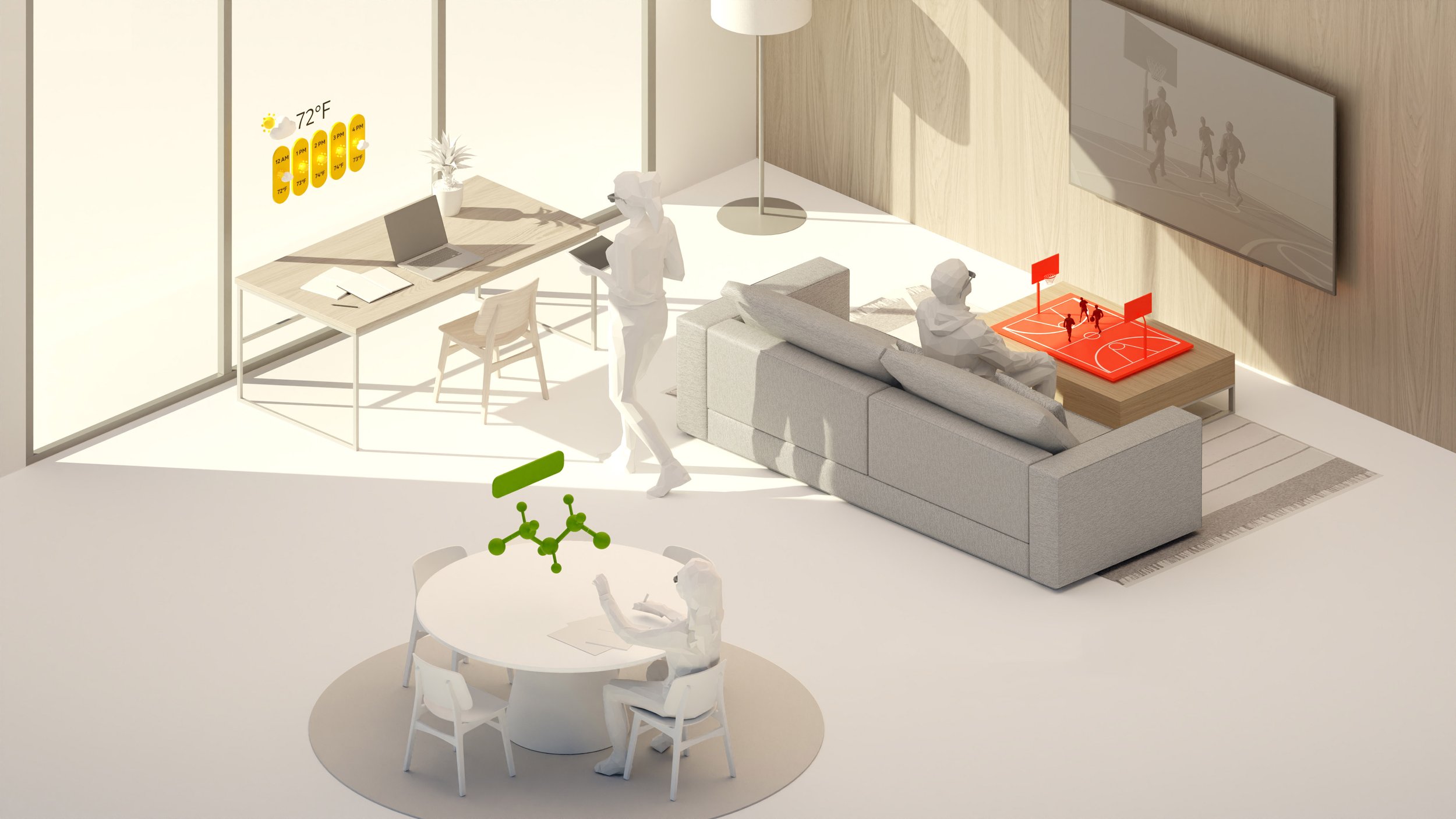
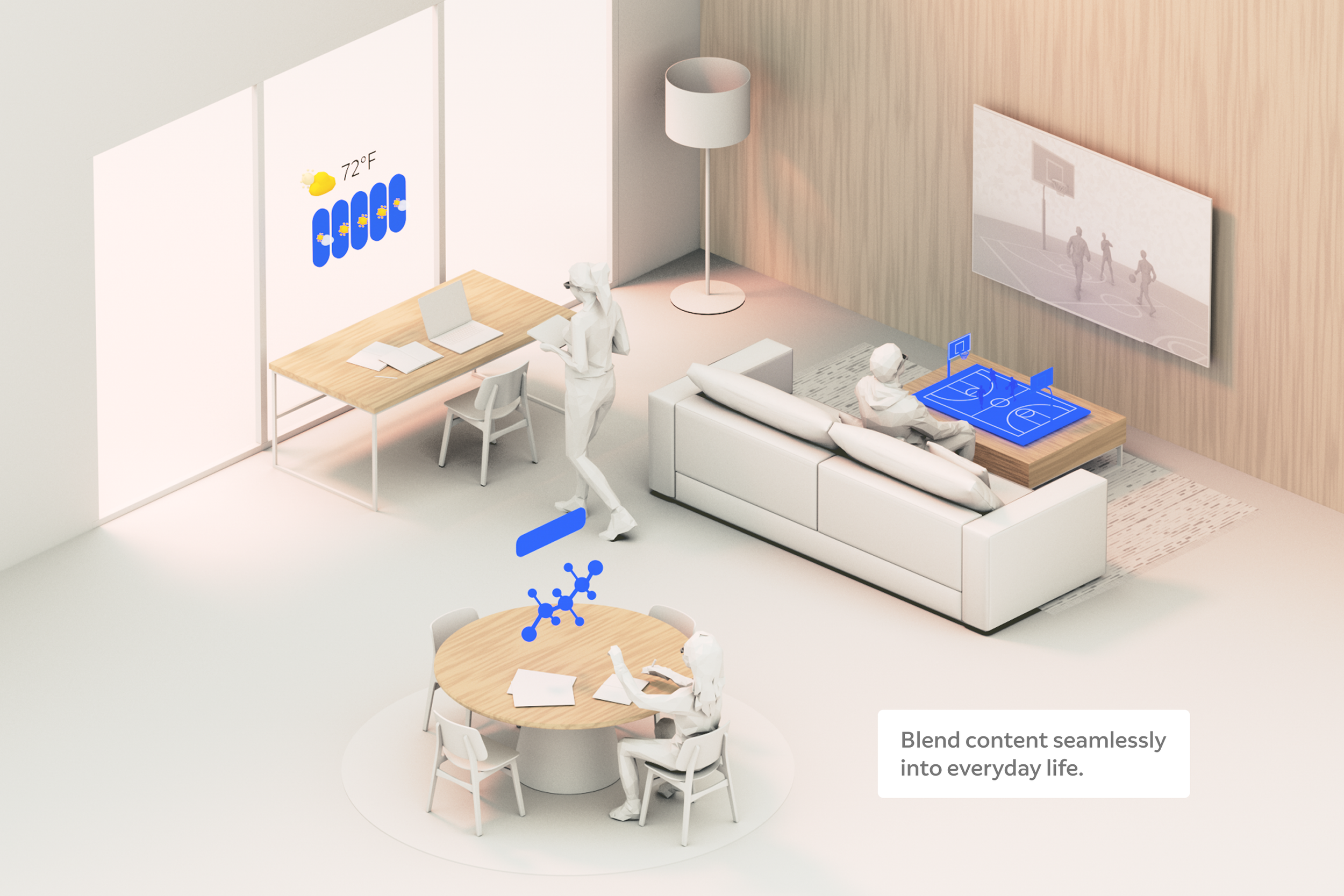
No one likes to be interrupted, especially while focused on a task. AR experiences should be centered on the real-world goals of people and not get in the way by forcing them to change their behavior or lose their focus. Understanding both the human and environmental conditions and the challenges and opportunities of a given situation is key to building experiences that seamlessly blend into a person’s natural flow:
Examine everyday tasks that could benefit from an AR layer. Study the sequence of steps and understand the embodied positions we hold within this context.
Notice opportunities where digital screens are already in use, but the form factor is limiting (e.g. tasks that would be easier with both hands or free-range mobility).
Integrate AR content into existing real-world tasks and workflows to provide context and reduce cognitive load.
Consider the other tools, systems, and data that are part of getting the job done. Ensure that the hand-offs between these tools are as frictionless as possible.
Respect Reality | Best Practice 01-2
Prioritize Privacy
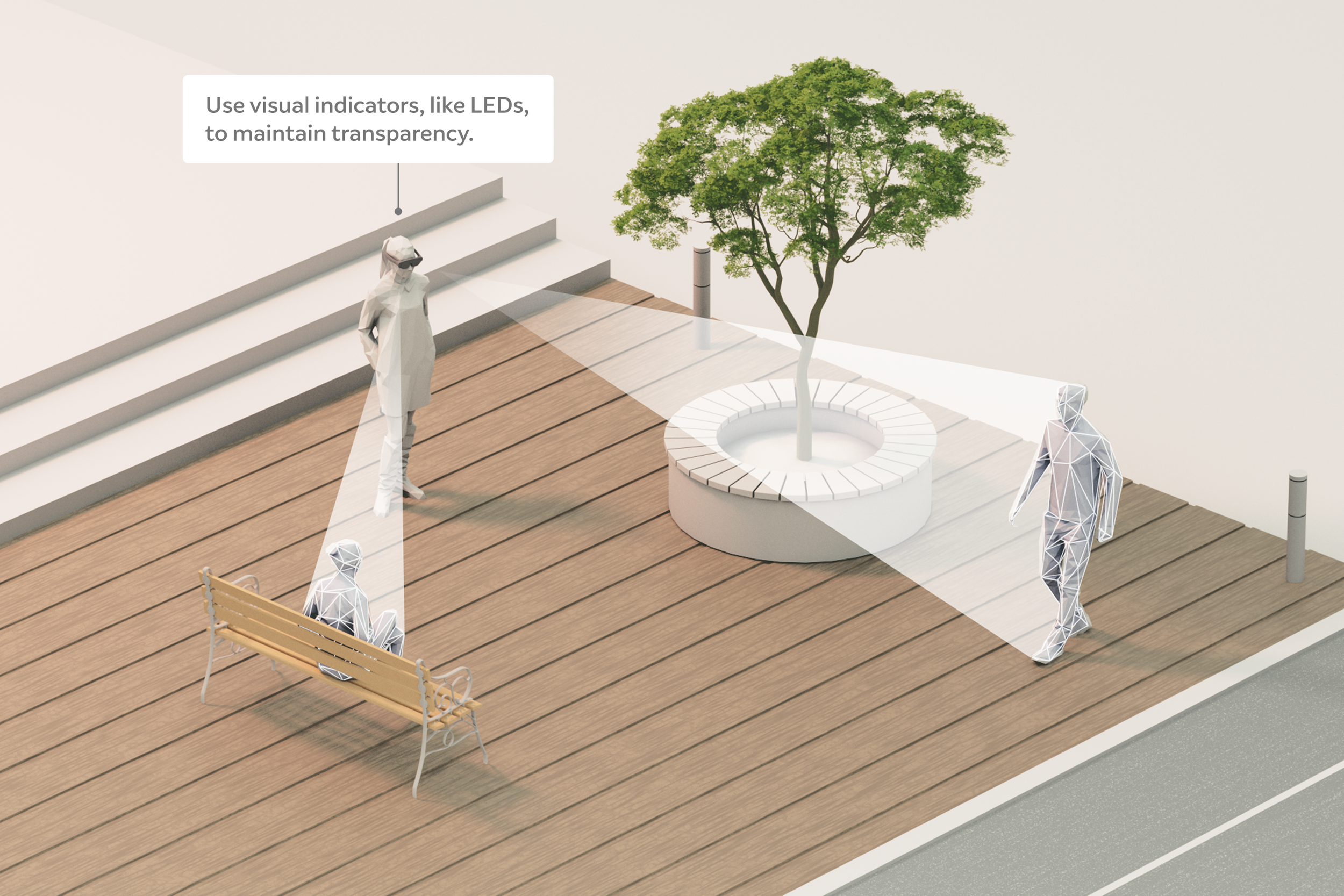
With our ability to capture vast amounts of data about the person using the device and their environment, we can create highly contextualized experiences that set AR apart from screen-based devices. However, this also raises new considerations and responsibilities for privacy. We must be very transparent about how the data is processed and stored so both organizations and individuals can trust the apps they use:
Minimize data collection to capture only what is required to make the experience better.
Clearly communicate what data is being collected and how it’s being used in your application.
If the app uses cameras to track the environment, use the device's LED lights and the privacy indicator to notify both the person using the device and the people around them.
Respect Reality | Best Practice 01-3
Maintain Situational Awareness
A healthy respect for reality includes acknowledging our innate ability to navigate and stay safe in the real world. Our brains already help us adjust to our physical surroundings constantly. If it’s dark, our eyes let in more light. If we’re close to a ledge we walk more carefully. When designing for AR, we are tinkering with this innate cognitive ability and must maintain the user’s acute awareness of their physical surroundings. When designing an experience, we should prioritize the physical scene over the virtual one, weighing the value of every virtual pixel and sound bite accordingly:
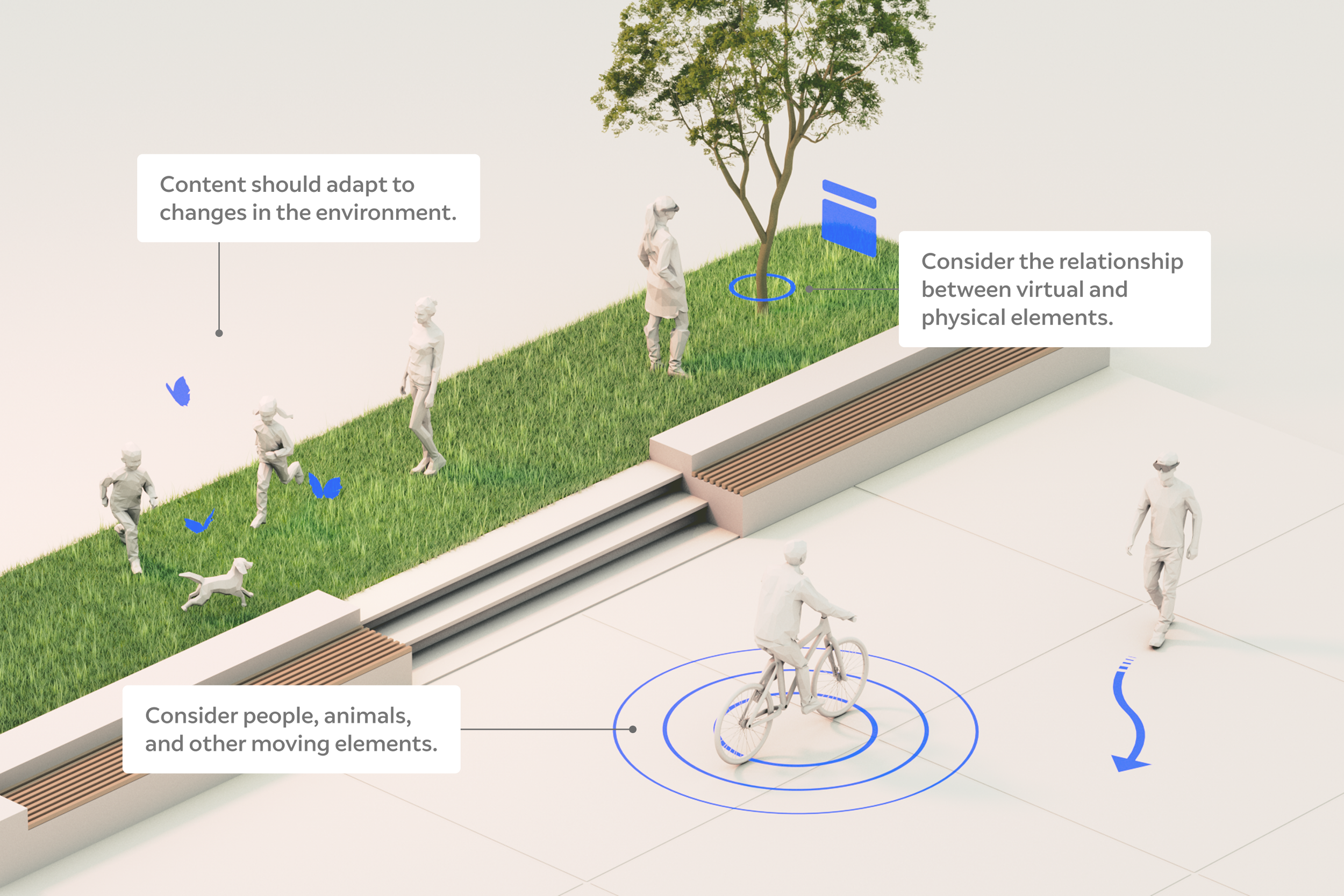
Pay attention to all physical elements (floors, walls, and objects). AR content should allow people to move around while avoiding obstacles.
Be mindful of all real world conditions, e.g. a noisy environment might make it harder to use voice commands.
Consider the presence of moving entities; people, animals, vehicles, etc. AR content should be aware and adapt to changing environments.
Respect Reality | Best Practice 01-4
Acknowledge Boundaries
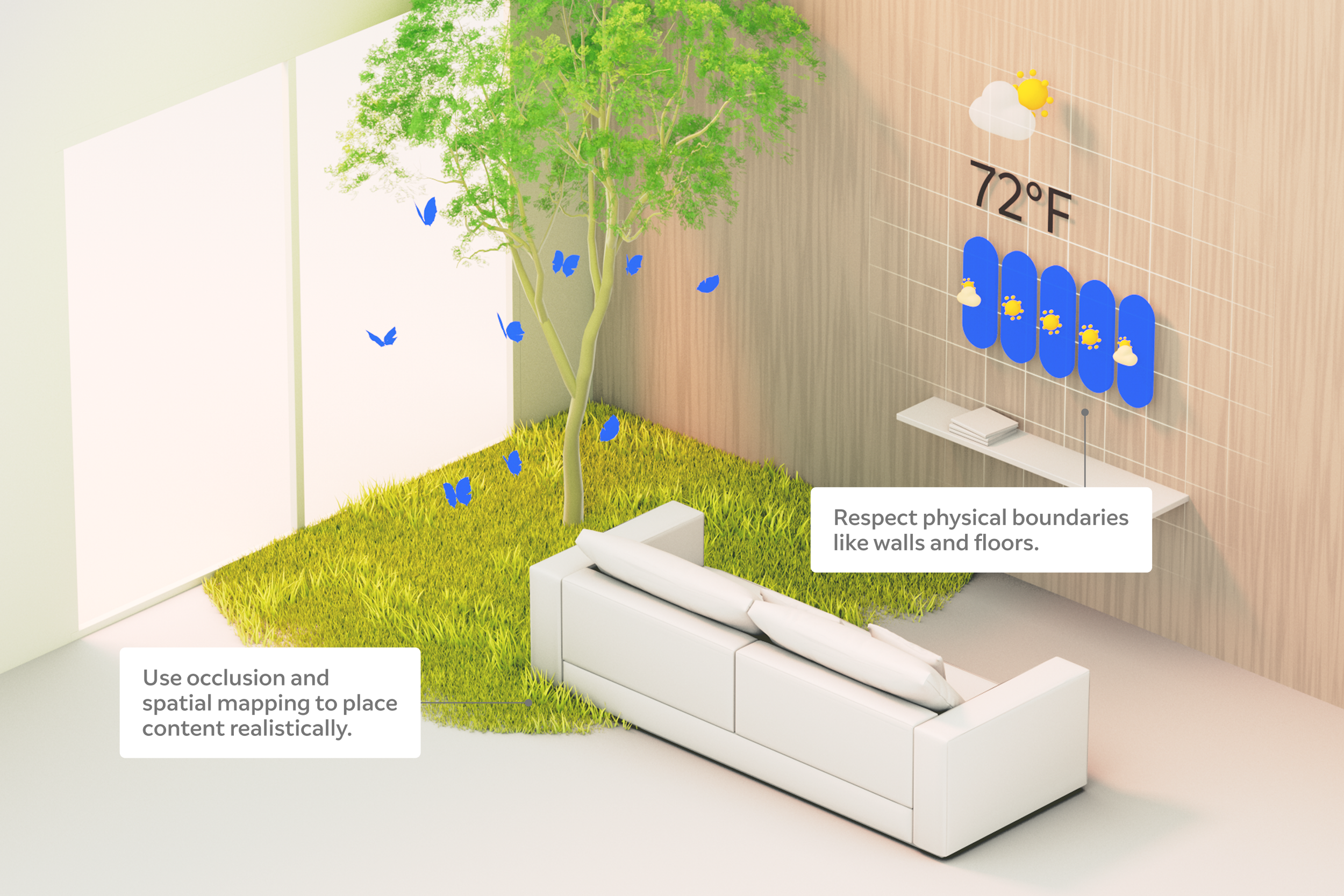
Real environments have hard boundaries. To keep the user grounded in the real world while virtual content is integrated, respect the geometry of the space. For many experiences, this means restricting content from spilling beyond physical boundaries. When content falls beyond walls, floors, or ceilings, it can become disorienting or even break the illusion of actually being in your space.
In some cases, especially in smaller environments, it’s desirable or even necessary to view virtual content beyond physical boundaries. In these cases, provide a visual indication of where the digital meets the physical (a boundary or mesh visual) to keep the user grounded.
Respect virtual boundaries as well. Avoid rendering digital content that fills up the entire virtual field-of-view. This can create a “tunnel-vision” effect, and expose the FOV limits, breaking the illusion of content actually being located in your space.
Respect Reality | Best Practice 01-5
Understand the Moment
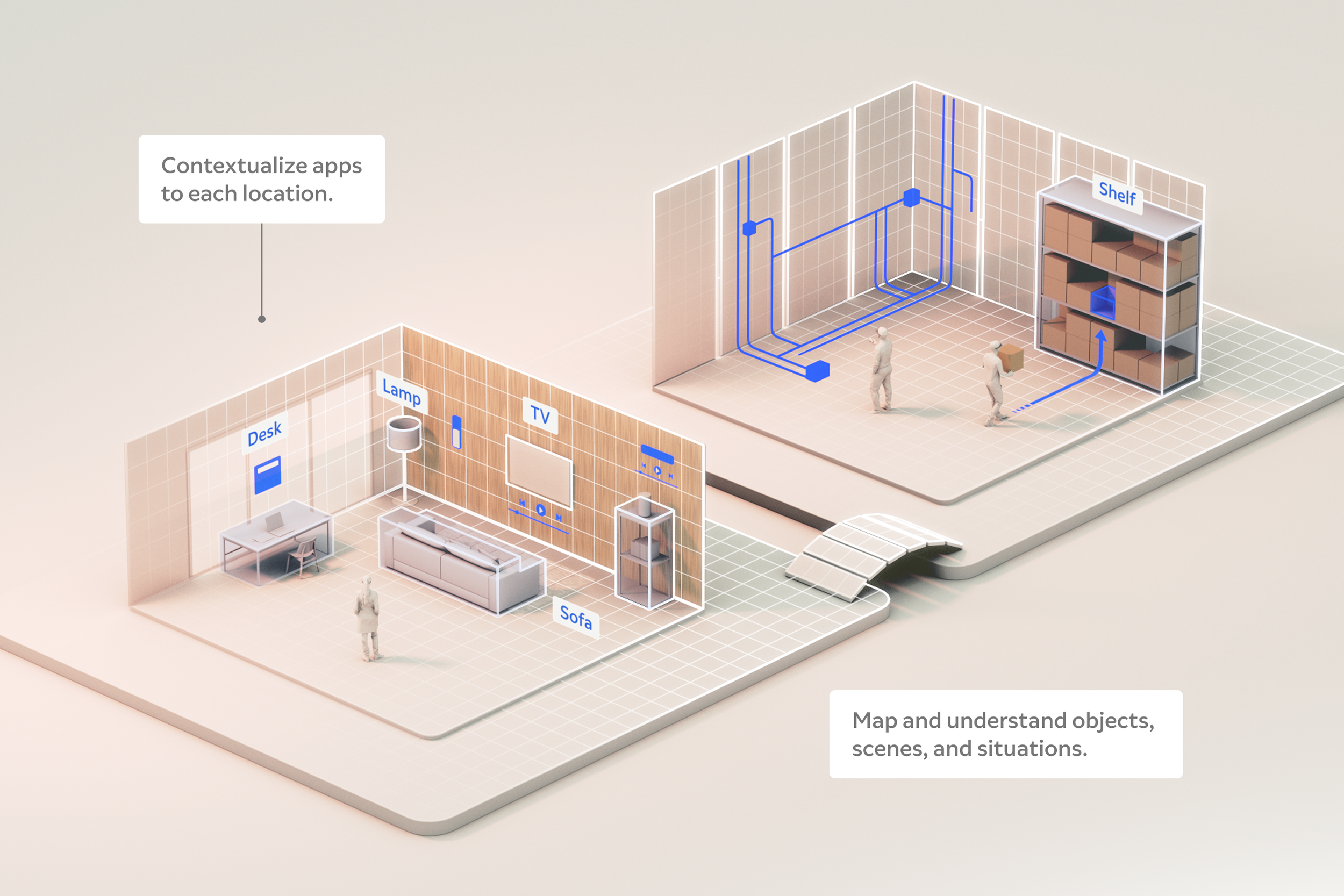
Onboard device cameras and sensors enable us to understand a great deal about where you are and what’s happening around you. By leveraging real world object and scene understanding, we can create experiences that are contextually relevant to real situations and always adapting to the moment.
Use object detection to identify desks, chairs, and machines. This enables the loading of relevant instructions, wayfinding prompts and other content associated with specific elements in a space.
Use scene understanding to grasp the context of a space the person is in. For instance, as a technician enters a specific part of a factory, we display relevant troubleshooting or maintenance information.
Continuously adapt as environmental conditions change. For example, when moving from a dimly lit space into a brighter area, subtly dim the real world view to ensure the virtual layer of content remains visible.
Embrace
Human
Abilities
Input with Intent
Support Ergonomics and Comfort
Include Everyone
Anticipate Intent
Consider Social Dynamics
02
02 Embrace Human Abilities
The internet is flat. We have compressed the real world into an abstract, two-dimensional representation that fits neatly on a thin slab of glass. In doing so, we’ve had to replace a broad, dynamic range of real- world interactions with a limiting set of scrolls, taps, and clicks. Digital devices have begun to impede the very things that make us human—our connections with others, and our embodied relationship with the physical world. We believe technology should conform to us, not the other way around. By respecting human physiology and working to extend natural human abilities, we can deliver on this promise.
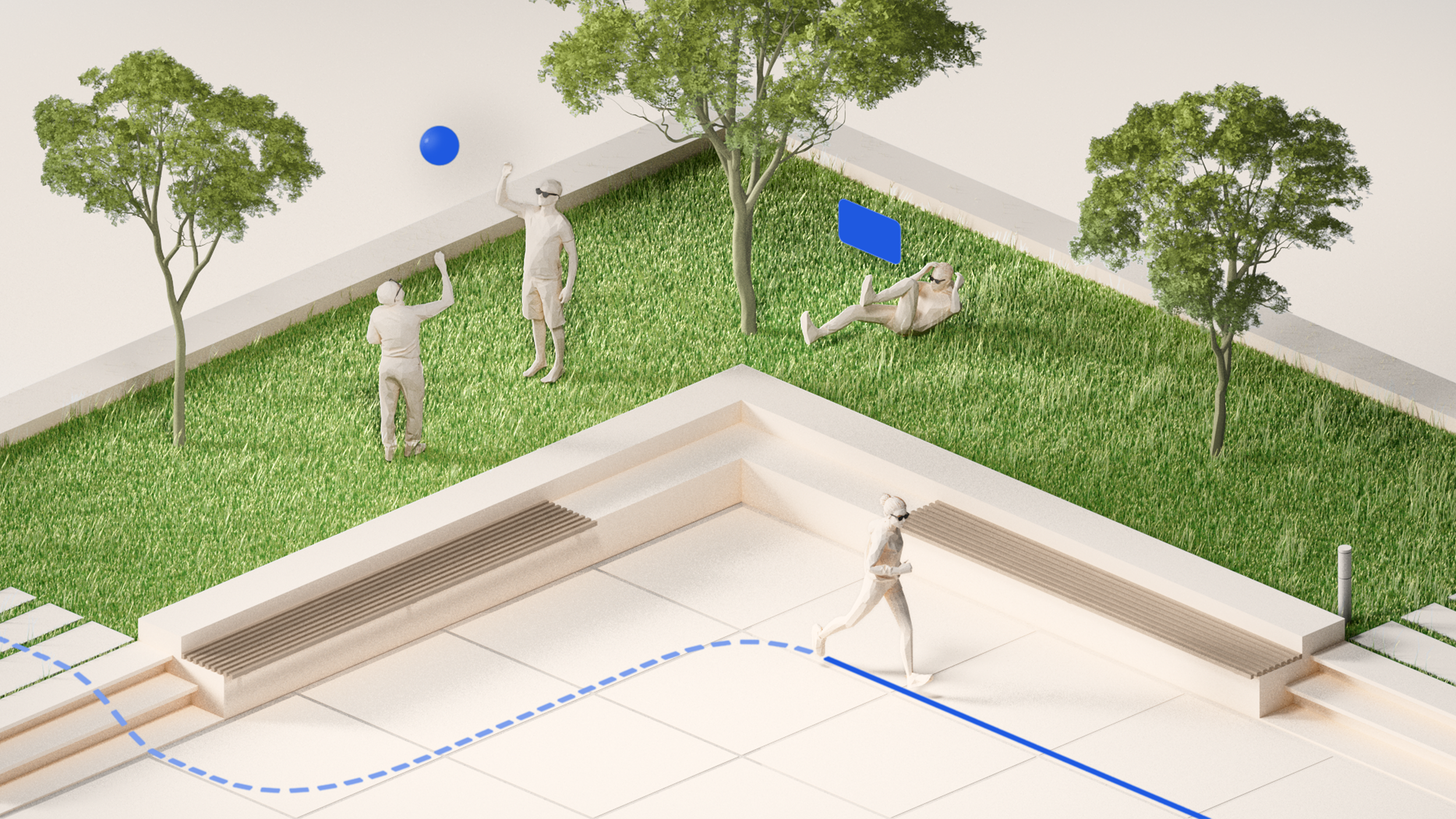
Humans are engineered to interact with a spatialized world, through AR we can bring back depth, breadth, and context in ways that are natural to us. We can replace the artificial inputs we’ve engineered for digital screens with more natural ways of engaging: how you move, where you look, and what you say are all legitimate forms of interaction. The human body is incredibly dynamic. When we take inspiration from it, our AR experiences will be as well.
Embrace Human Abilities | Best Practice 02-1
Input with Intent
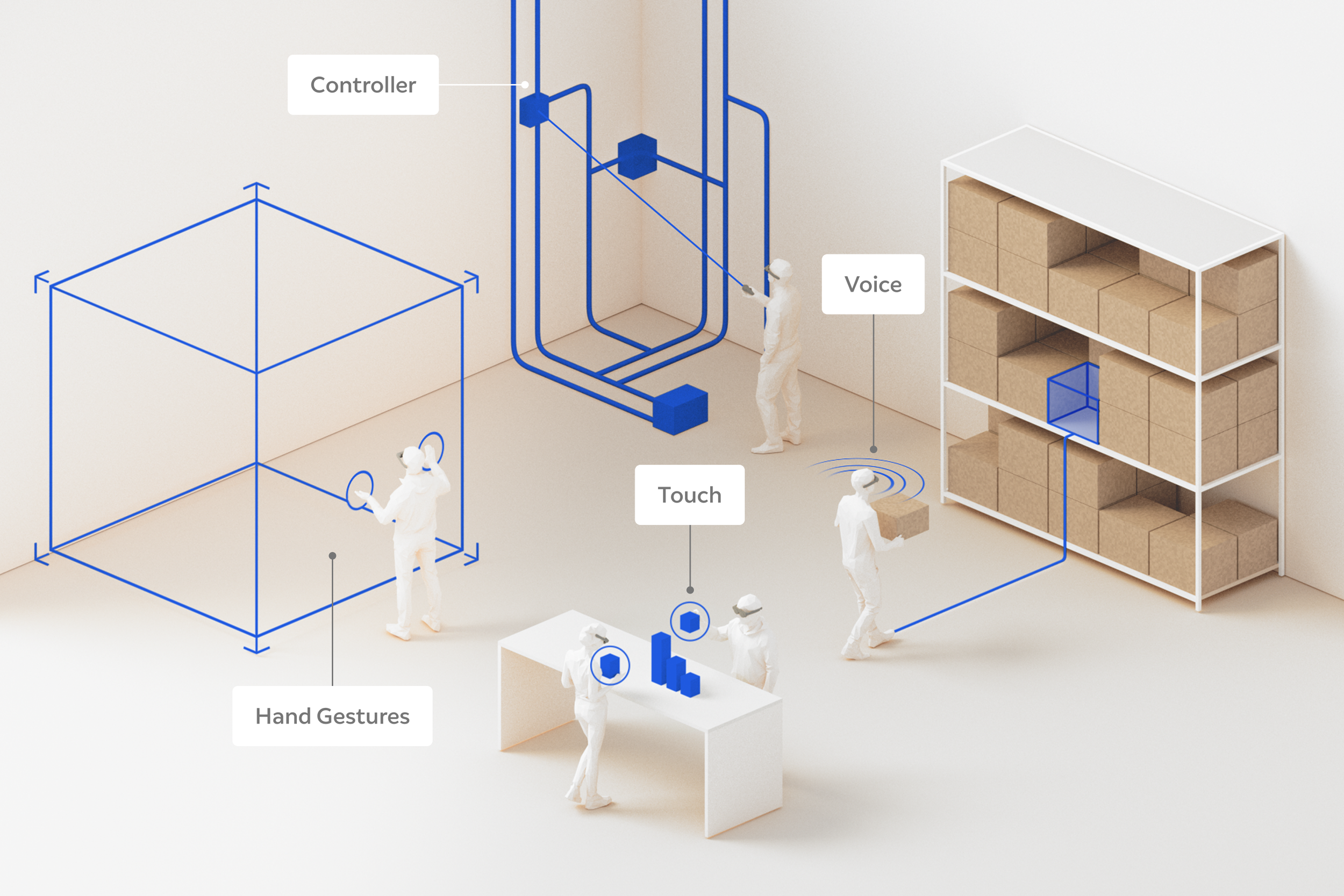
Designers now have access to an incredible library of inputs to build intuitive experiences. Our embodied movement and gestures, voice, touch, and gaze are natural ways of relating to our physical world that can now be adapted for digital interactions. While there are a range of methods to choose from, not all are suitable for every scenario. When choosing which inputs to support, consider what the person in the AR experience wants to do and what types of interactions are appropriate for the situation.
Interactions that require precision (such as editing a 3D model) might be best with a controller.
When both hands are busy, voice interaction might be the best option.
For social situations that warrant a discreet form of input, eye tracking might be more suitable.
Consider multi-modal inputs as well. For instance, when the user cannot be fully mobile and needs a high level of accuracy, combining eye tracking with voice may work best.
Inputs may need to change during use without breaking the user’s flow. For example, entering a noisy environment may make voice inputs difficult.
Embrace Human Abilities | Best Practice 02-2
Support Ergonomics and Comfort
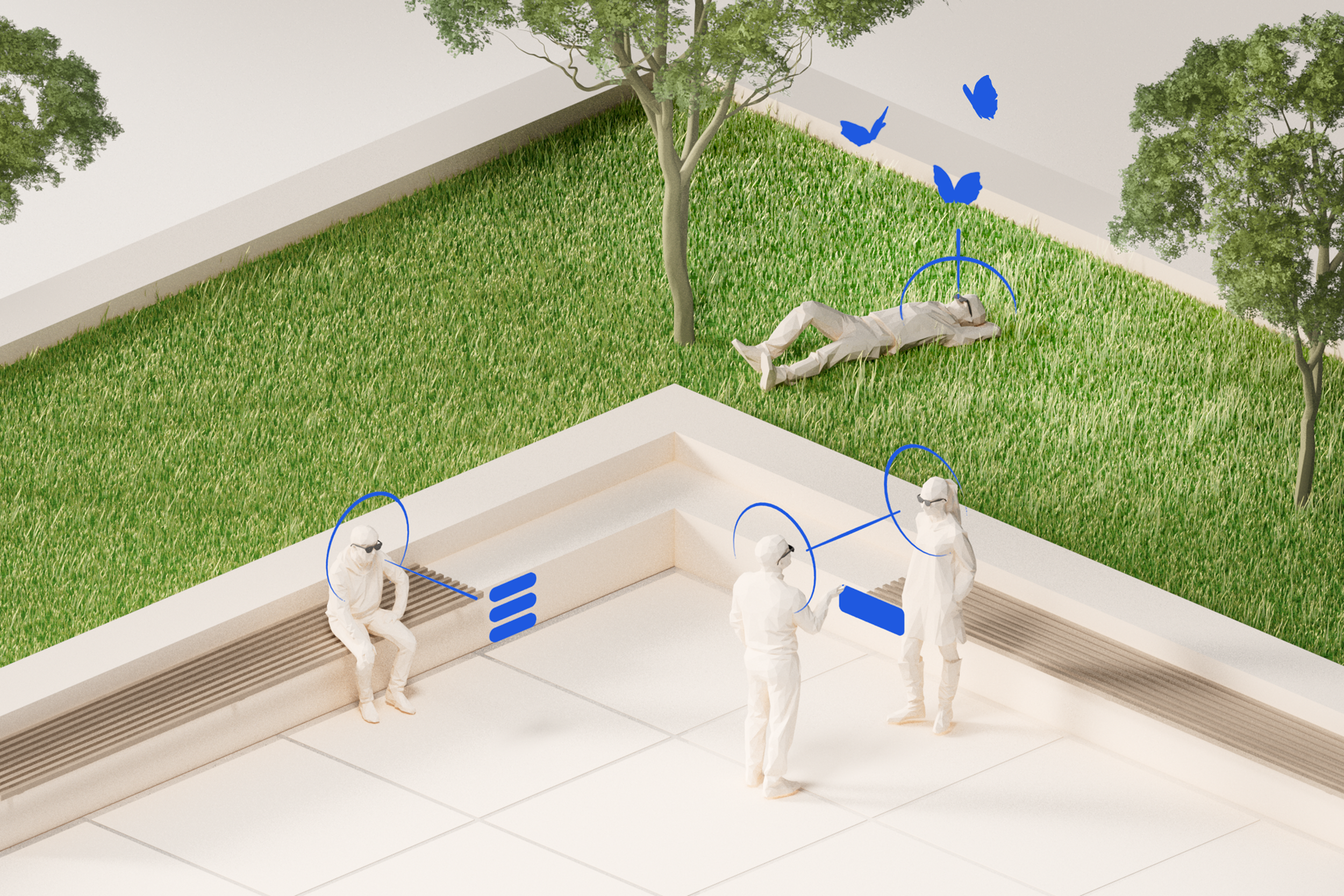
Sci-Fi movies tend to portray digital interactions that rely on bold, dramatic gestures. While this may look good on film, try this for yourself and see how quickly fatigue sets in. The experiences we build should focus on movements that are comfortable and easy to repeat over long periods of time without feeling strain.
Place UI and content so head and arm movements feel comfortable and natural.
When content appears too close to the face or moves too quickly between depth planes, dizziness or nausea may result.
Keep diversity in mind: age, motor skills, environment, eyesight, and previous experience with AR will affect people’s comfort level.
Embrace Human Abilities | Best Practice 02-3
Include Everyone
Wearable spatial computers present an amazing opportunity for inclusive design. The experience can be highly tailored to the constraints and strengths of the person using it—all while understanding the context of their environment.
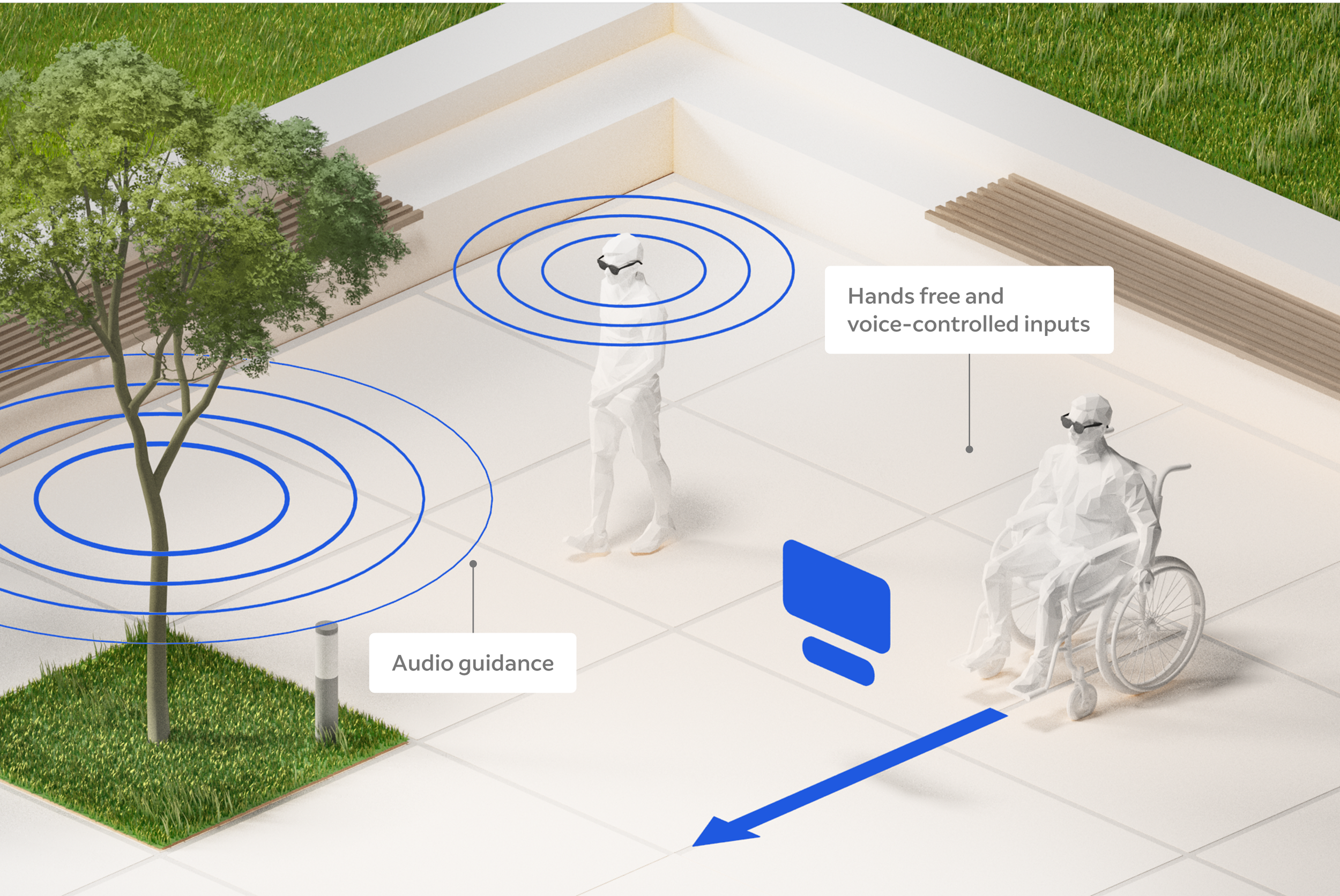
For the visually-impaired, use real-time audio descriptions to read street signs, identify obstacles, and describe visual elements to make spaces more accessible.
Convert spoken words into text to enable hearing-impaired users to participate in conversations, or bridge the gap between speakers of different languages.
Enable voice or gesture-based interactions for those with limited mobility, like head gestures or eye-tracking.
Haptic feedback can enable vision or hearing-impaired users to receive tactile signals that guide them.
Consider the onboarding experience to include people who have varying levels of familiarity with AR.
Embrace Human Abilities | Best Practice 02-4
Anticipate Intent
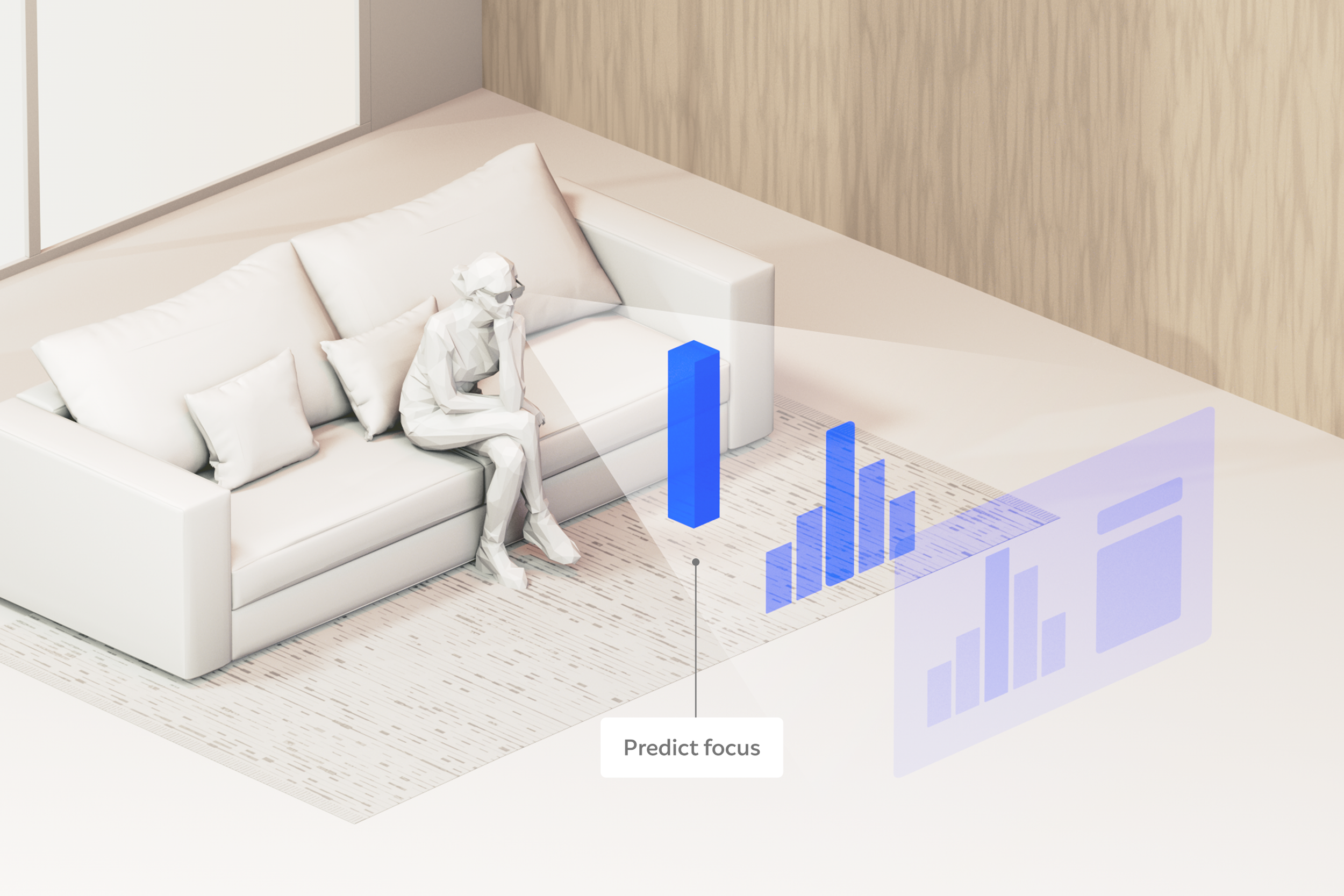
AR devices can understand a lot about the physical space we’re in, our context and behavior. By combining camera and sensor data about the user and the world around them, applications can predict what users need or intend to do at any given moment—providing a sixth sense that anticipates needs, completes tasks, and amplifies our natural intuition.
Looking at another person and engaging in conversation could minimize UI and silence notifications to enable deeper focus.
Entering recognized spaces can preload relevant items. For instance, the kitchen stove might cue recipes saved on YouTube.
Try combining multiple sensor data streams. For example:
If a user turns away and starts walking, hide all spatial content related to the previous task and replace it with subtle wayfinding elements.
Gesture, headpose and gaze detection can be combined to predict what a user intends to select, increasing the speed and accuracy of targeting.
Embrace Human Abilities | Best Practice 02-5
Consider Social Dynamics
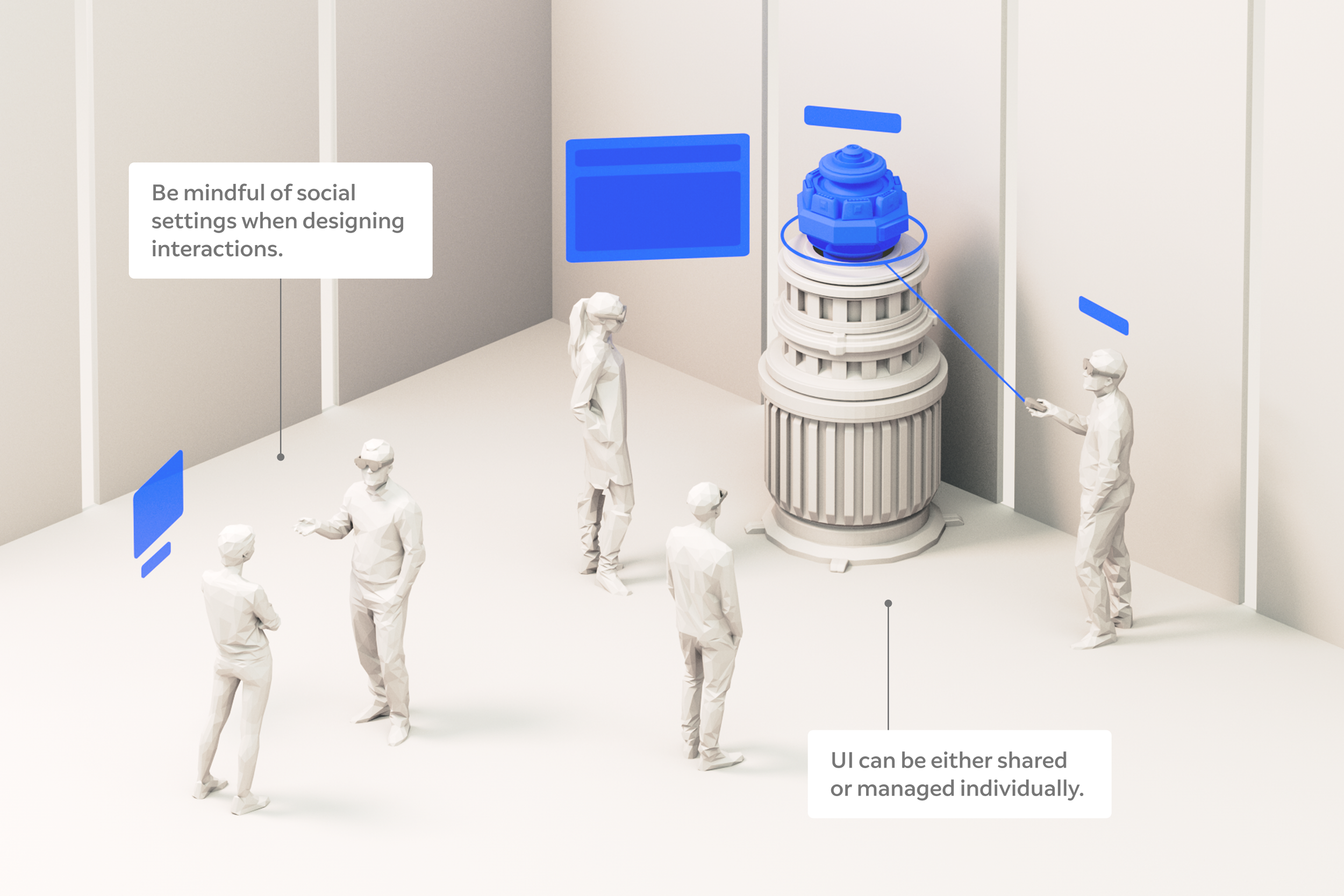
Humans are social beings. Optical see-through devices can enable truly social experiences that bring you closer to the people around you. When designing for shared experiences, the social dynamics in play must be considered. What is the intention of the group? What are the various roles and responsibilities of its members? Is there an established hierarchy in the scenario, or should all members of the group share equal privileges? Asking these types of questions will help you design shared experiences that consider the subtle nuances of group dynamics.
People often gesture with their hands while talking, so use different gesture controls to prevent false triggers. Avoid gestures that may be awkward in a social setting.
To instill confidence and trust, clearly distinguish what can be viewed by all and what is only seen privately.
To avoid confusion, consider which UI elements are visible for the group versus individual participants.
Make affordances for different levels of participation (remote or co-located) in multi-user sessions.
Consider social norms. For example, an app intended to be used in a Library should not rely on voice commands.
Spatialize
with
Purpose
Depth and Scale Matter
Define Content Behavior
Nudge with Nuance
Look and Listen

03
03 Spatialize with Purpose
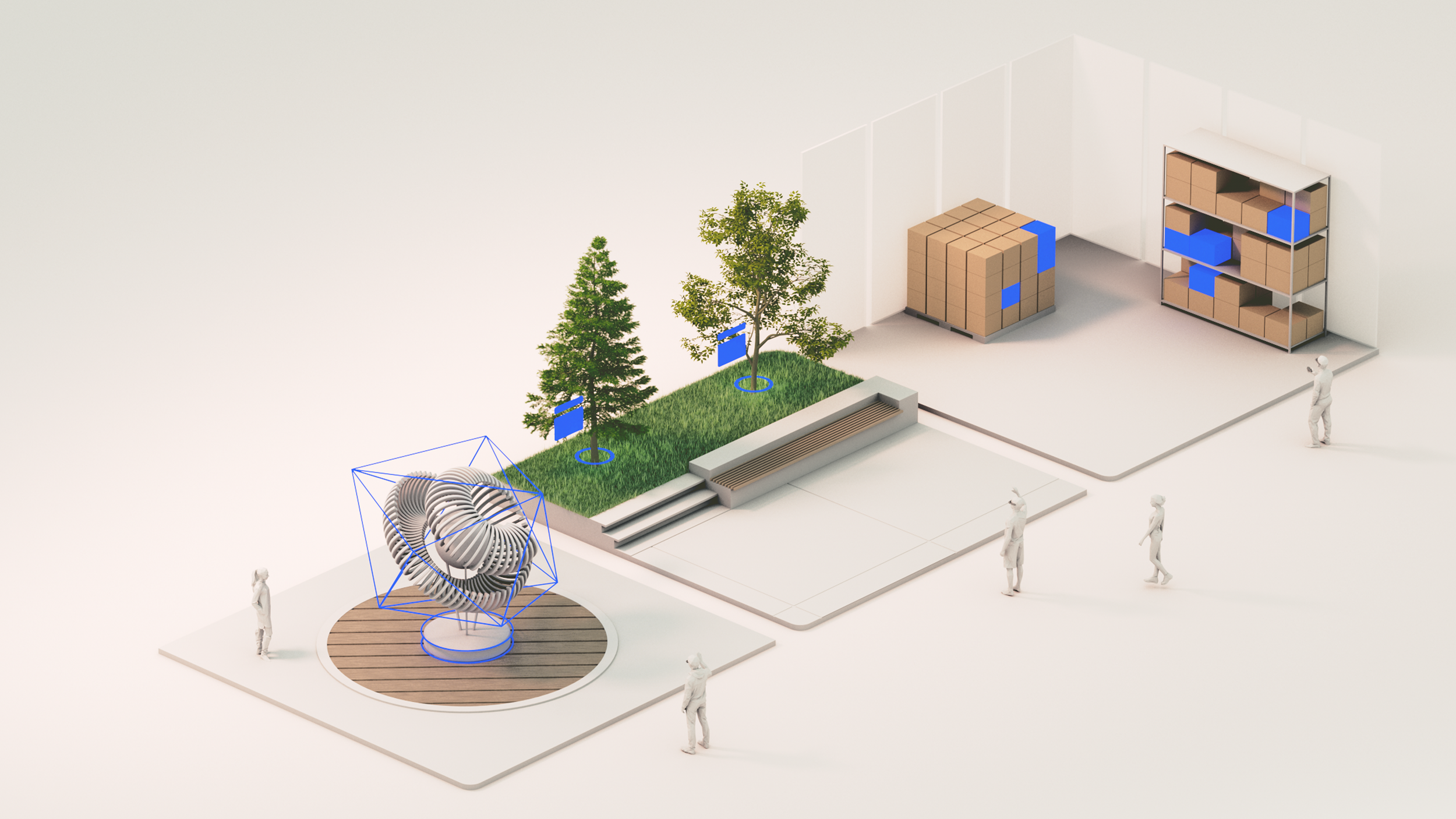
AR experiences can go far beyond what two-dimensional screens are capable of. Adding another dimension to our canvas enables a whole new suite of possibilities. While the ways to spatialize content seem limitless, it’s important to exercise restraint and reflect upon every design decision. Why are we doing this? Is there a compelling reason for this element to be here? How much is too much? By asking questions like these, we add depth to our designs with clear intent.
What’s appropriate is highly dependent on the situation: sometimes flat panels in space are the right choice, at other times hyper-realistic 3D elements may be called for. Sometimes, spatial design doesn’t involve visuals at all—a thoughtfully placed sound might be all you need. In order to harmonize people with their physical and digital environment, we must use discernment to create spatial content with purpose.
Spatialize with Purpose | Best Practice 03-1
Depth and Scale Matter
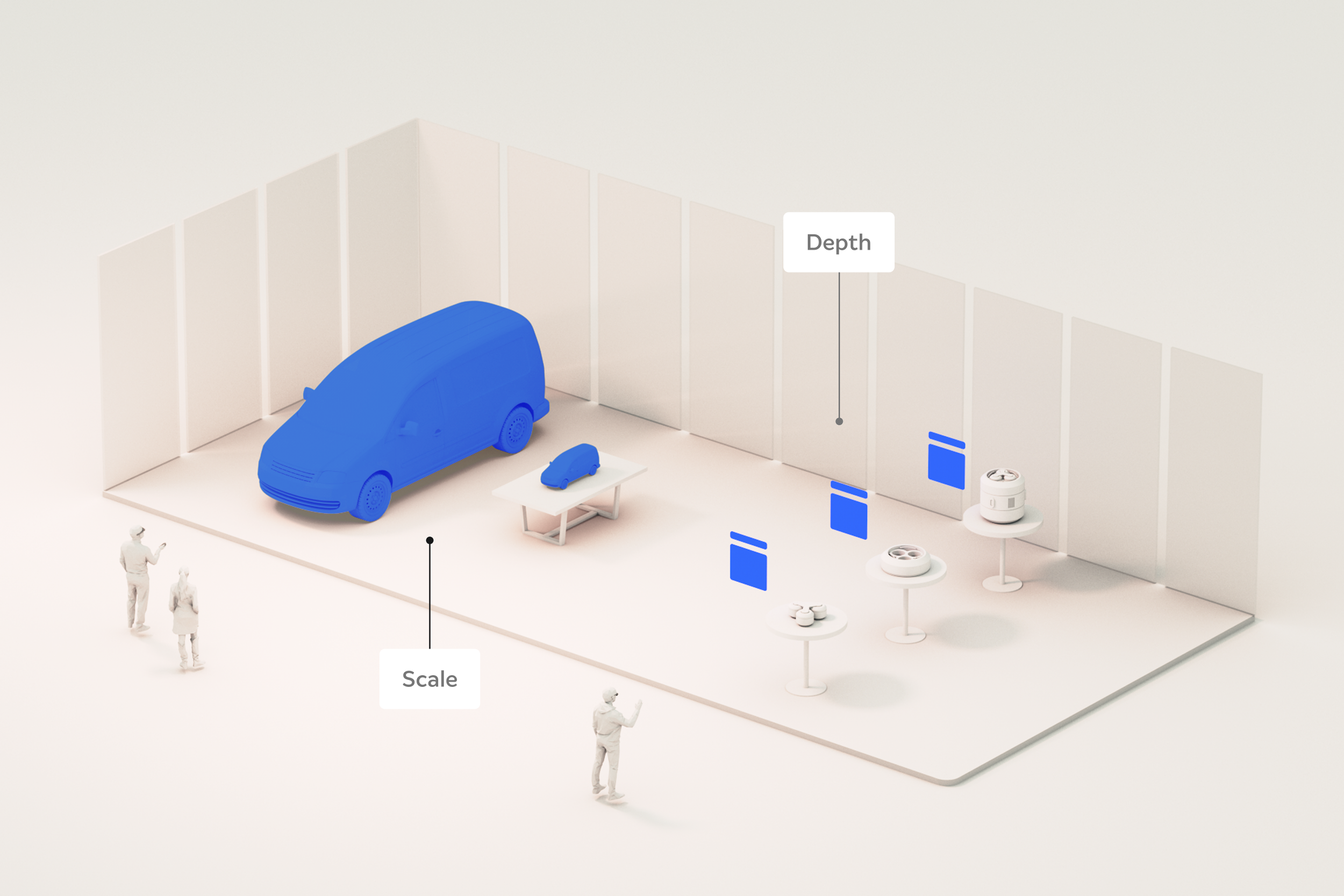
Because wearable AR does not have the same constraints as flat laptop or mobile screens, we can leverage true depth and scale in a variety of ways. For example, stacking content in Z-space can help direct focus to the closer content, while hinting at coming tasks that are stacked farther behind. Leveraging depth for content hierarchy helps prioritize things, all while preserving the user’s agency and real-world field of view.
Use depth to enhance feedback. Nuanced button states are an easy place to start. For example, on “hover” it moves slightly toward your finger, and on “press” it moves deeper into Z space.
Try virtual objects at different scales for context:
A building design can be viewed at actual size where you can walk around inside as if it were already built, or scaled down to view the neighborhood from a bird’s-eye view.
An industrial design for a machine can be magnified to examine the tiniest of details.
When seamless blending of digital and physical is the goal, scale virtual objects to naturally fit their surroundings.
In shared multi-user experiences, content can scale dynamically, appearing larger for those who are further away and smaller for those who are closest, ensuring everyone can see clearly and interact comfortably.
Spatialize with Purpose | Best Practice 03-2
Define Content Behavior
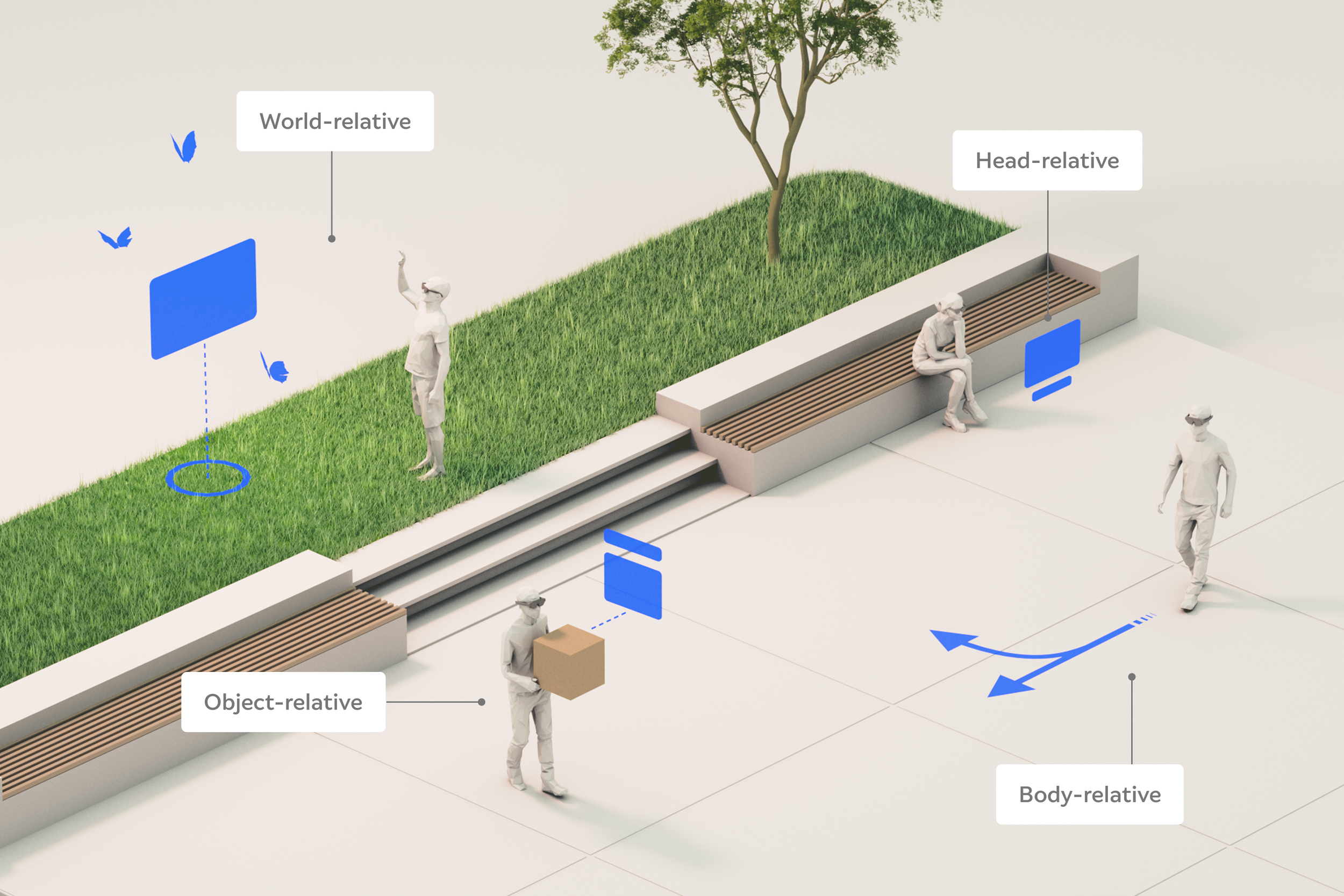
There is a set expectation for how content behaves on flat screens: one application is typically in front of us, and to interact with another one, we simply activate another window or tab. When designing for spatial experiences, we have many more options and considerations. It is critical to intentionally define content behaviors based on the user’s primary task and how they naturally move around in their physical surroundings.
Head-relative content follows head movement and positioning.
Used for content that must always be in view (e.g. notifications). Place content either high or low in the FOV to increase environmental awareness.
Do not use for large content that obstructs real-world visibility.
Body-relative content follows body movement and positioning.
Used for content that needs to be easily accessible but doesn’t need immediate attention. Ideal for when the user is moving and still needs access to content (e.g. application controls).
World-relative content is attached to fixed locations.
Used for content that is contextual to a location or when users are stationary.
Object-relative content is attached to movable objects.
Used when content is closely associated with an object (e.g. instructional callouts on physical tools or parts).
Spatialize with Purpose | Best Practice 03-3
Nudge with Nuance
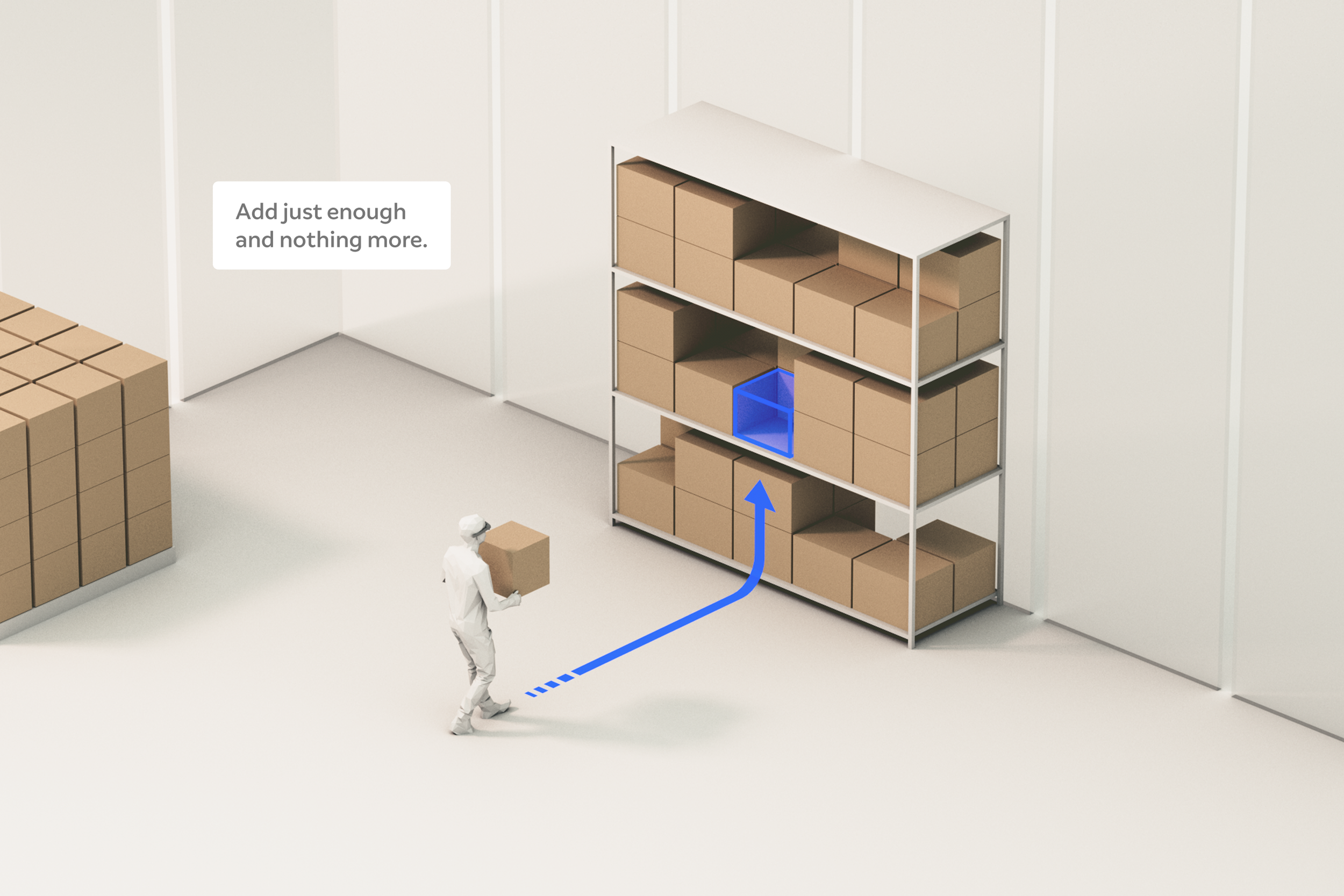
For decades, designers have been nudging people to either consume or click something on 2D interfaces. In fact, it could be argued that nudging is the bulk of a designer’s work—directing attention without restricting agency. In 2D interfaces, this often involves key visual decisions about the size, color, and position of calls-to-action or content. With 3D AR experiences, however, there is a whole new dimension of considerations. Keeping people present in their physical surroundings requires us to truly perfect the art of nudging all over again. Our goal is to add just enough to enhance the moment and nothing more.
Here are a few tips and examples:
It can be tempting to visually overload your app. We aim to augment reality, not obscure it, so mind the balance of virtual to physical elements in the user’s field of view.
Try to reduce cognitive load wherever possible. Remember, the user is trying to accomplish something in the physical world, with a little virtual assistance.
When evaluating a design, ask yourself: “What else can I remove?”. Try reducing or minimizing elements until things feel simple and subtle.
In a wayfinding scenario, instead of heavy signage and arrows in our field of view, a nudge might take the form of spatialized sound or a subtle line on the floor.
Spatialize with Purpose | Best Practice 03-4
Look and Listen
We use our hearing for a wide array of practical uses in the real world. Hearing can warn us of danger, or direct our attention toward objects around us. Whether it’s waking up to the sound of birds in the morning or hearing the bustling excitement of fans in a stadium, our hearing also greatly enhances the more qualitative aspects of life. While sound is a fundamental design element, it is often overlooked when creating software. We should value the sound design in our applications with equal weight and consideration as we do the visual elements.
In traditional interfaces, we rely primarily on visuals for feedback (ex: hover and click states). With 3D interfaces, we should engage the other senses as well.
For example, audio and haptic feedback are often more intuitively perceived than visual feedback when there is a lot competing for the user’s attention.
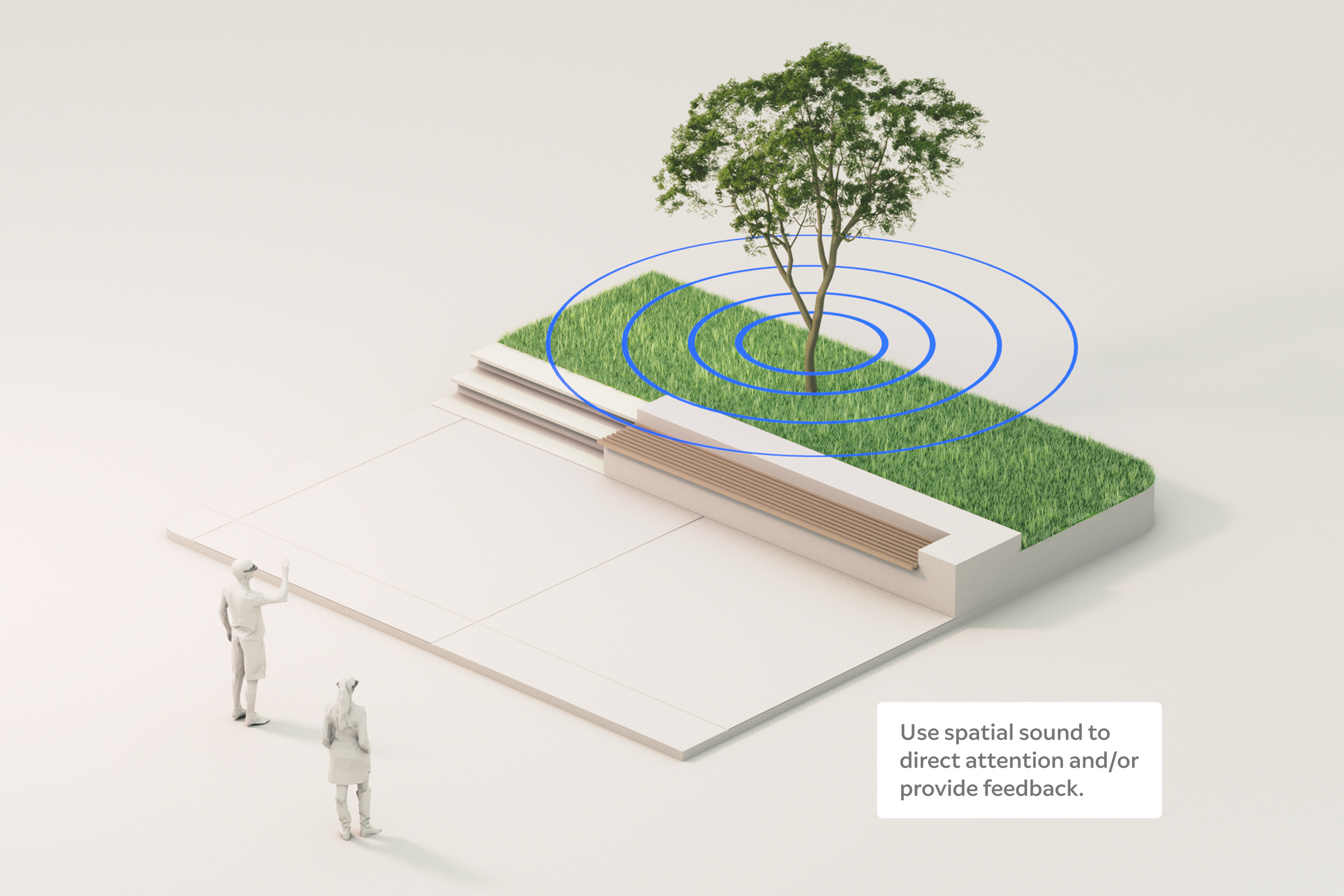
Unlike visuals, spatial audio is not restricted by field of view, allowing sound to emanate from any direction around the user. We can use this to request attention and guide the user’s focus:
Simply hearing a new sound to the left causes you to turn your head and look, becoming aware of new content that you hadn’t yet noticed.
Sounds can be anchored in specific physical locations, and as you approach, the volume is gradually increased.
In both examples, the sound successfully nudged the user, without needing to explicitly tell or show them anything.
Connecting People
and Place
As digital technology continues to advance, our world is becoming increasingly noisy, distracted, and disconnected. Optical see-through AR has the potential to help restore balance—reconnecting us with our physical surroundings while keeping us fully engaged in the moment. But technological breakthroughs aren’t enough—we can’t fully realize this promise without great experience design. AR poses unique challenges and opportunities that require an evolution of established design practices. After a decade of designing for the most immersive, optical see-through devices on the market, we’ve distilled our collective experience into principles that enable designers and developers to craft exceptional AR applications.
Following this philosophy, we can create experiences that harmonize digital content with real-world interactions. And by prioritizing human connection and contextual awareness, we ensure AR becomes a tool for deeper engagement with both the physical world and the people within it.