What are Augmented Reality Behaviors?
Behaviors are how content displays its presence, how it moves, how it reacts to user workflows, user movement, and the physical world environment, and how it interprets multi-modal input systems for best precision, legibility, and comfort.
In other mediums such as mobile, television, PCs, books, etc., the user controls the behavior of the content. If users want to consume content, they position themselves in front of it; if they need to focus their attention on something else, they look away. Augmented Reality (AR) doesn’t have the luxury of this user-directed focus. As AR designers, we have to interpret user intent based on use cases, empathy, testing, and a high amount of intuition. AR is in service to the physical world, and digital content should follow that same understanding and behave appropriately. Digital content should be present when the user needs it, and out of the way when content is not needed or wanted.
Responsibility:
UX Design Lead
Results:
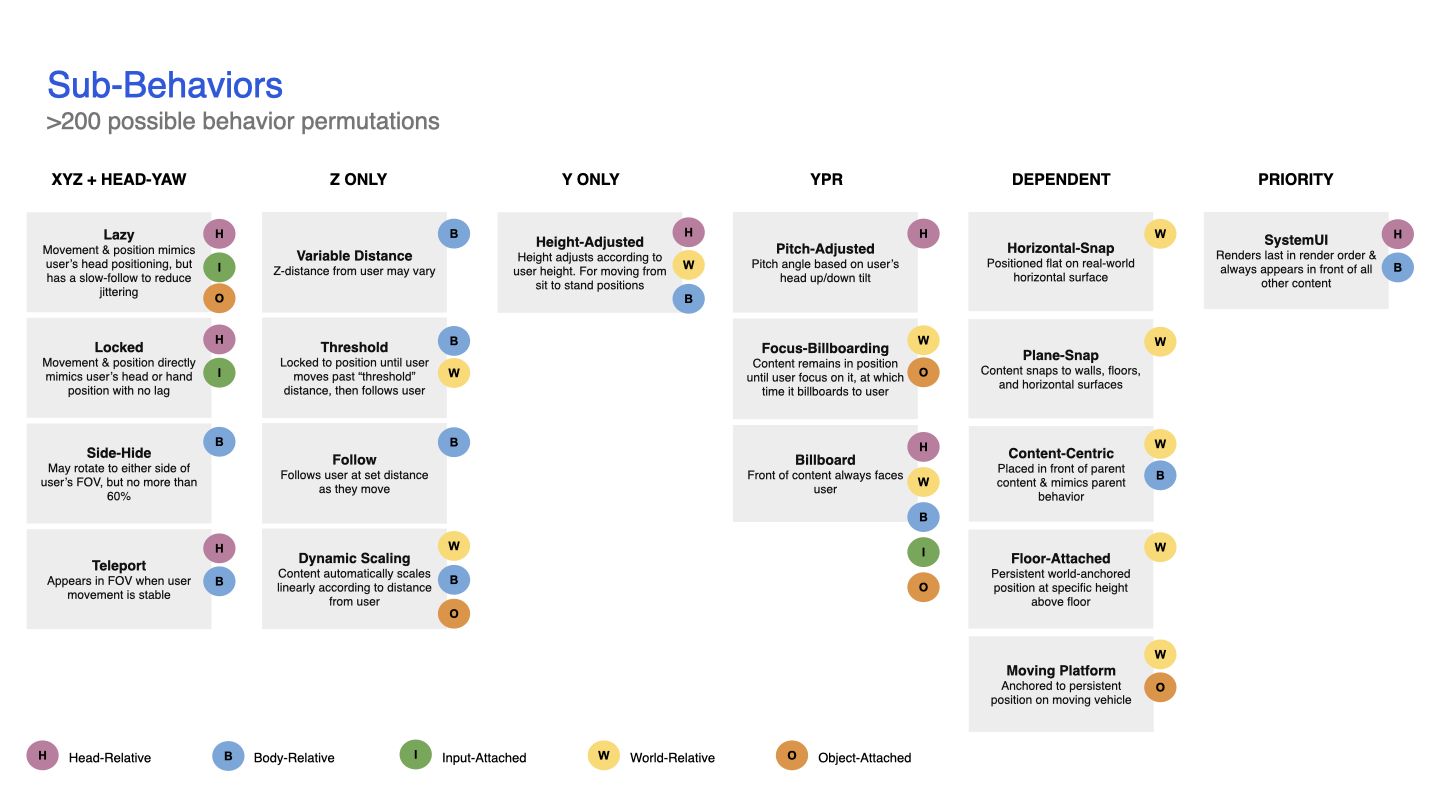
With over 200 behavior combinations, creating a simple and understandable matrix was essential. I summarized and defined five behavior archetypes, 18 sub-behaviors, three distance fields, and two height fields that could be applied across every conceivable use case. This system was codified, illustrated for easy consumption, and then shared internally with development teams and externally with the XR field through our published AR Principles.
Goals for AR behaviors
Respect the workflow
Behaviors should enhance a user’s ability to accomplish their goal without blocking them from their current task.
Behaviors should inform and allow for easy access, but not cause unneeded or repetitive steps. Keep users in their “Flow”.
Respect the environment
Users are aware of and often utilize their real-world environment for work and play.
Content and information are an enhancement to the real-world environment, but are not in charge.
Every pixel drawn on-screen is a pixel that covers up the real world. Be disciplined in using UI real estate.
Augmented Reality is not lonely
There are often other people in a user’s environment.
Behaviors should align with social norms; they should not force users into interaction patterns that lead to awkward social situations.
Behavior Archetypes
Head-Relative
Body-Relative
Input-Attached
USER-CENTRIC
World-Relative
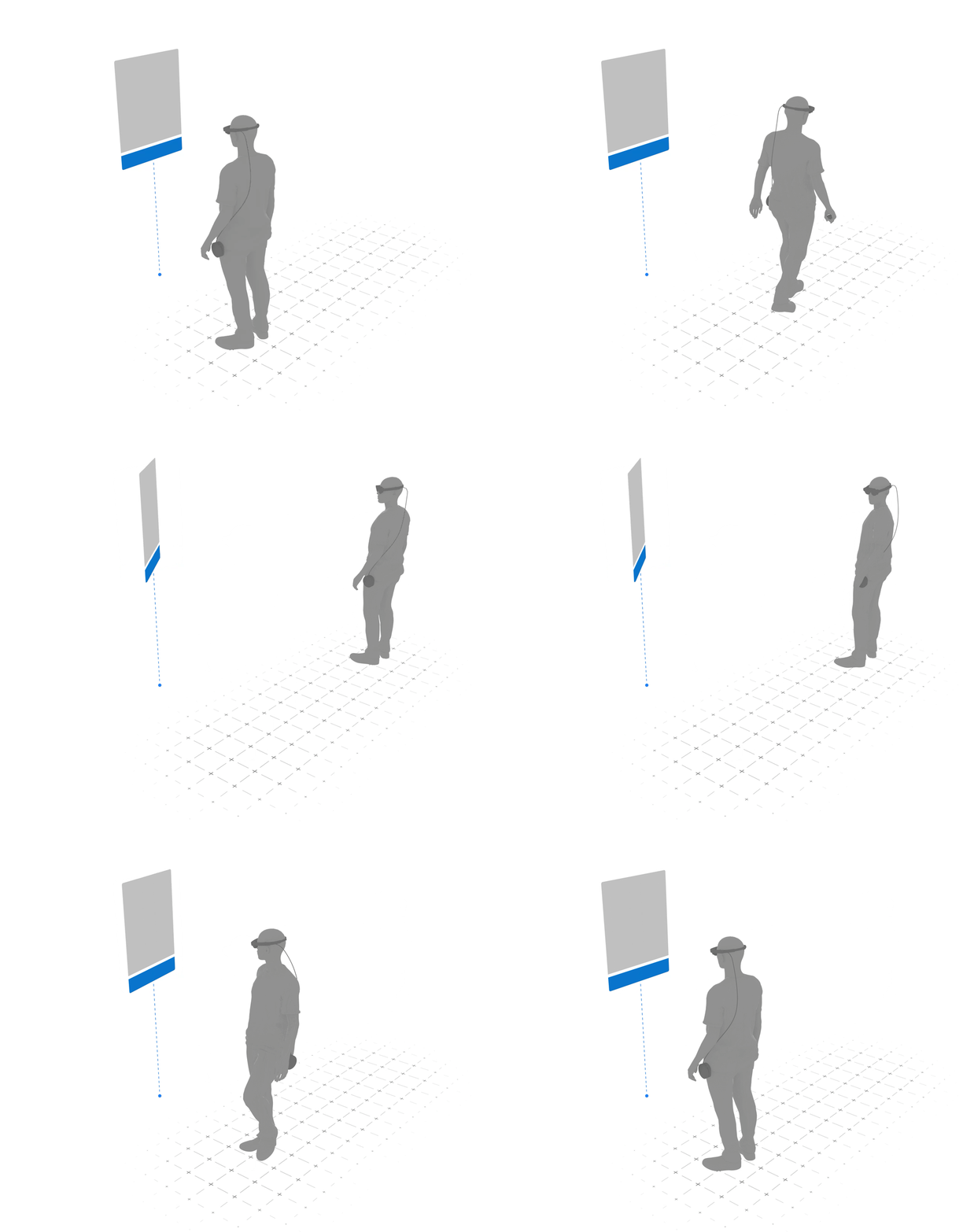
Object-Attached
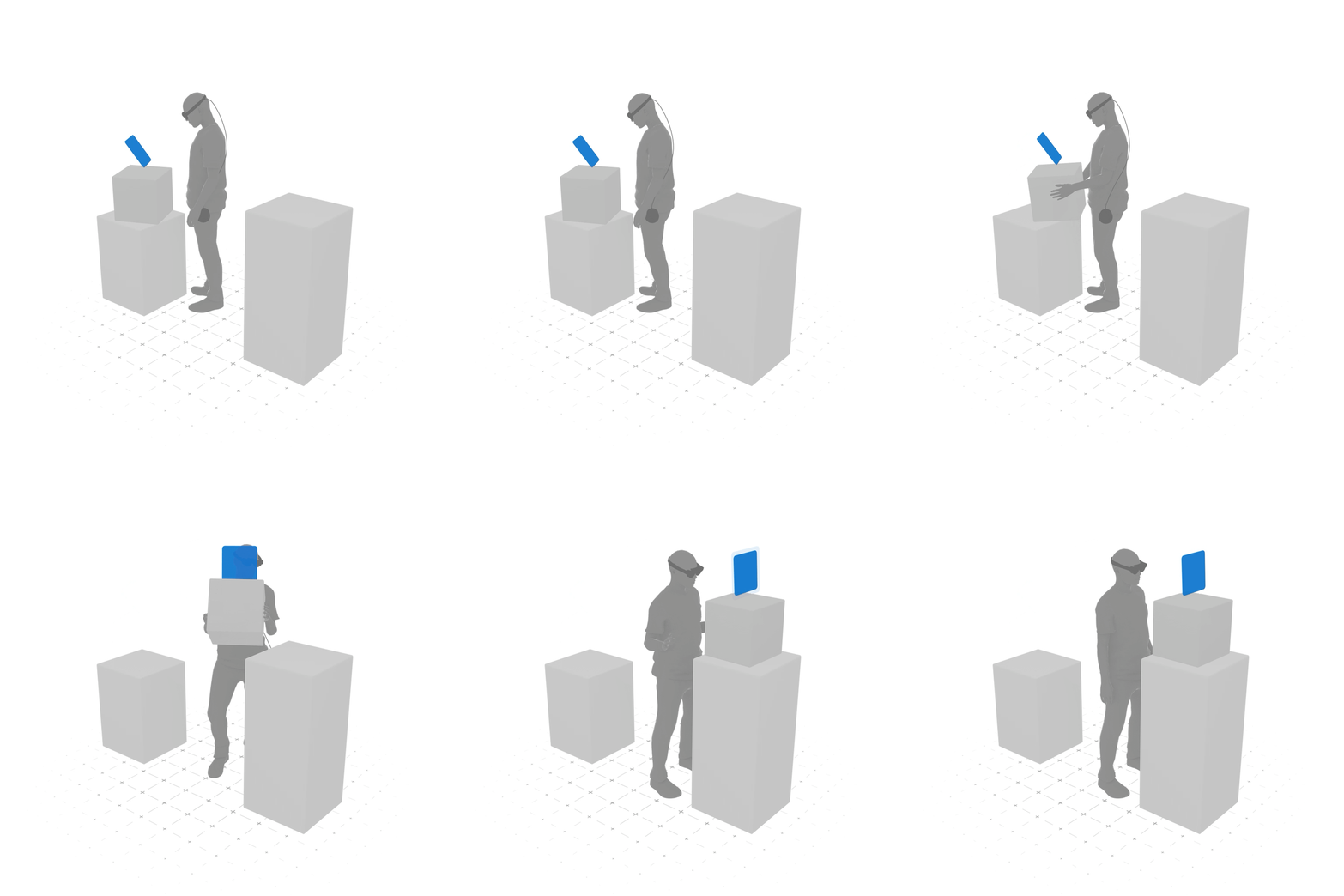
WORLD-CENTRIC
User-Centric vs
World-Centric Behaviors
User-centric behaviors are used for controls that need to travel with the user as they move (e.g., app menus, tools, system communications, privacy indicators).
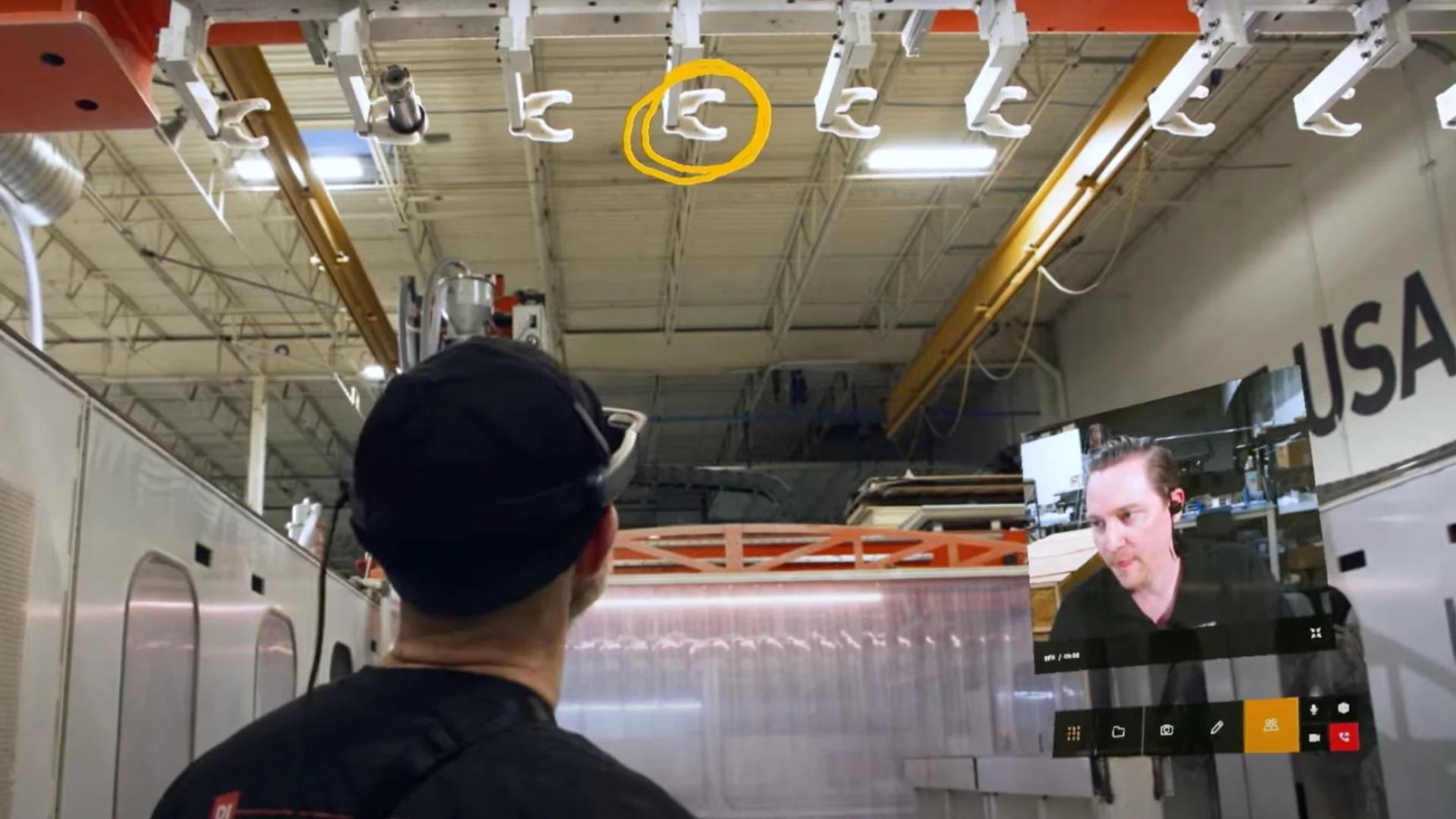
World-centric behaviors are used for content that is contextual to a world position, an object, and content that is best consumed from a stationary position. (e.g., long-form copy, 3D models, avatars, videos, web browsers, real-world tasks).
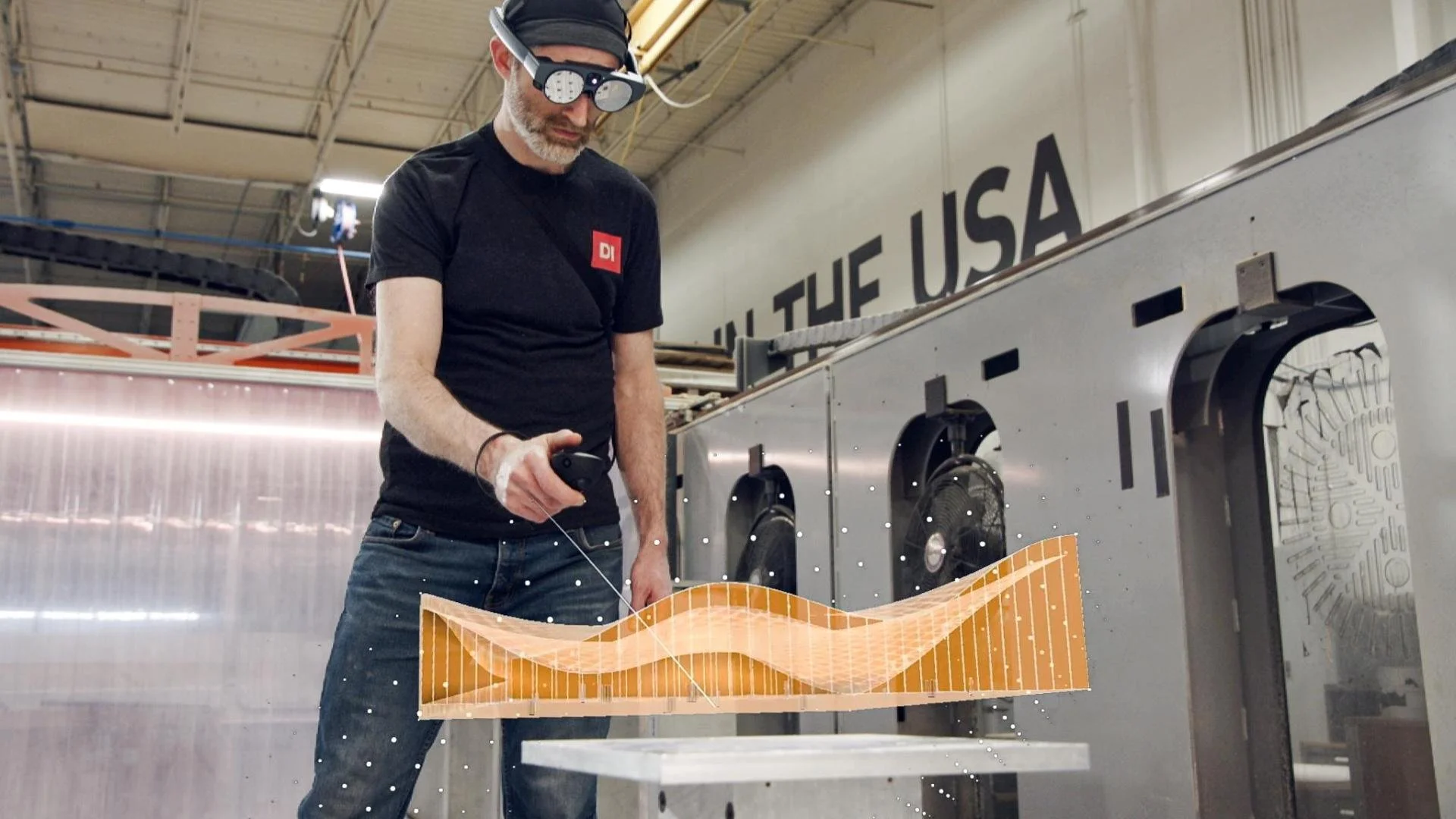
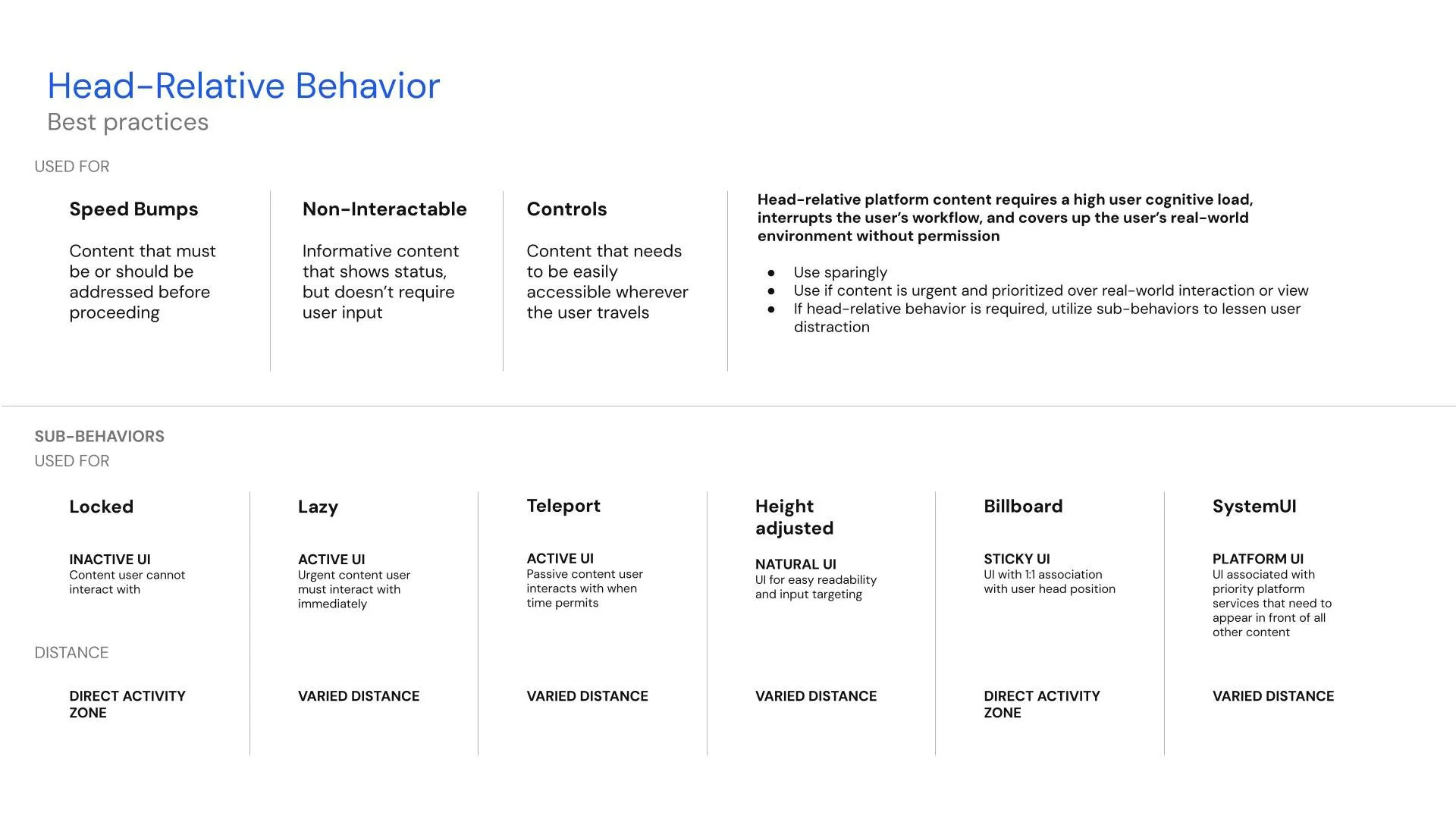
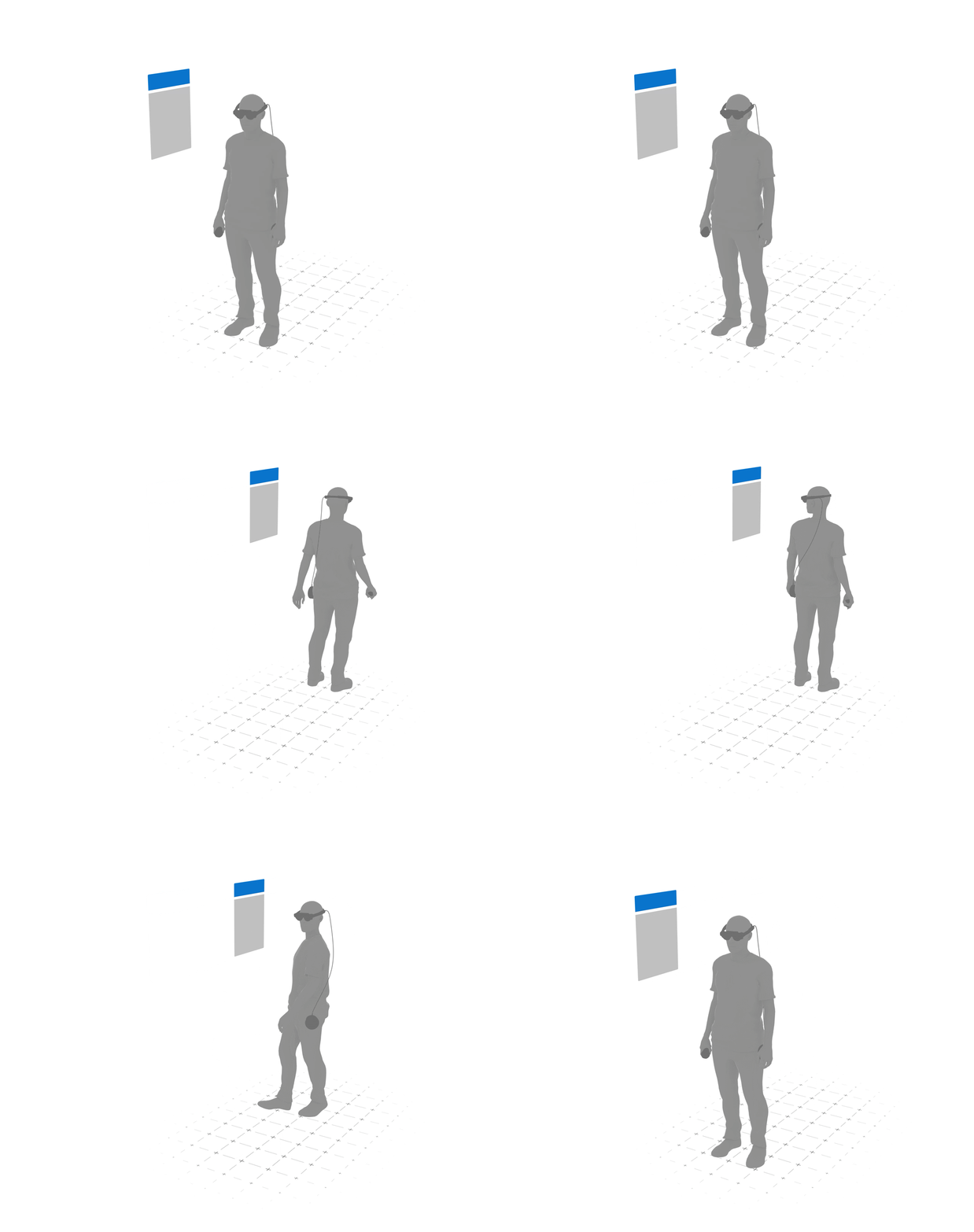
Head-Relative
Head-relative content follows movement and positioning based on the user’s head position and remains at a consistent height and distance from the head. Use head-relative behavior with caution, as it may obstruct the environment and cause discomfort.
Characteristics
Follows movement and positioning based on the user’s head position
Persistent distance from the head
High-cognitive load
Used for
Task-spaced application menus set low in the FOV
Interrupting workflows
Easy input & interaction
Full user focus
High attention
Not reliant on world coordinates
System UI (renders on top of all other content)
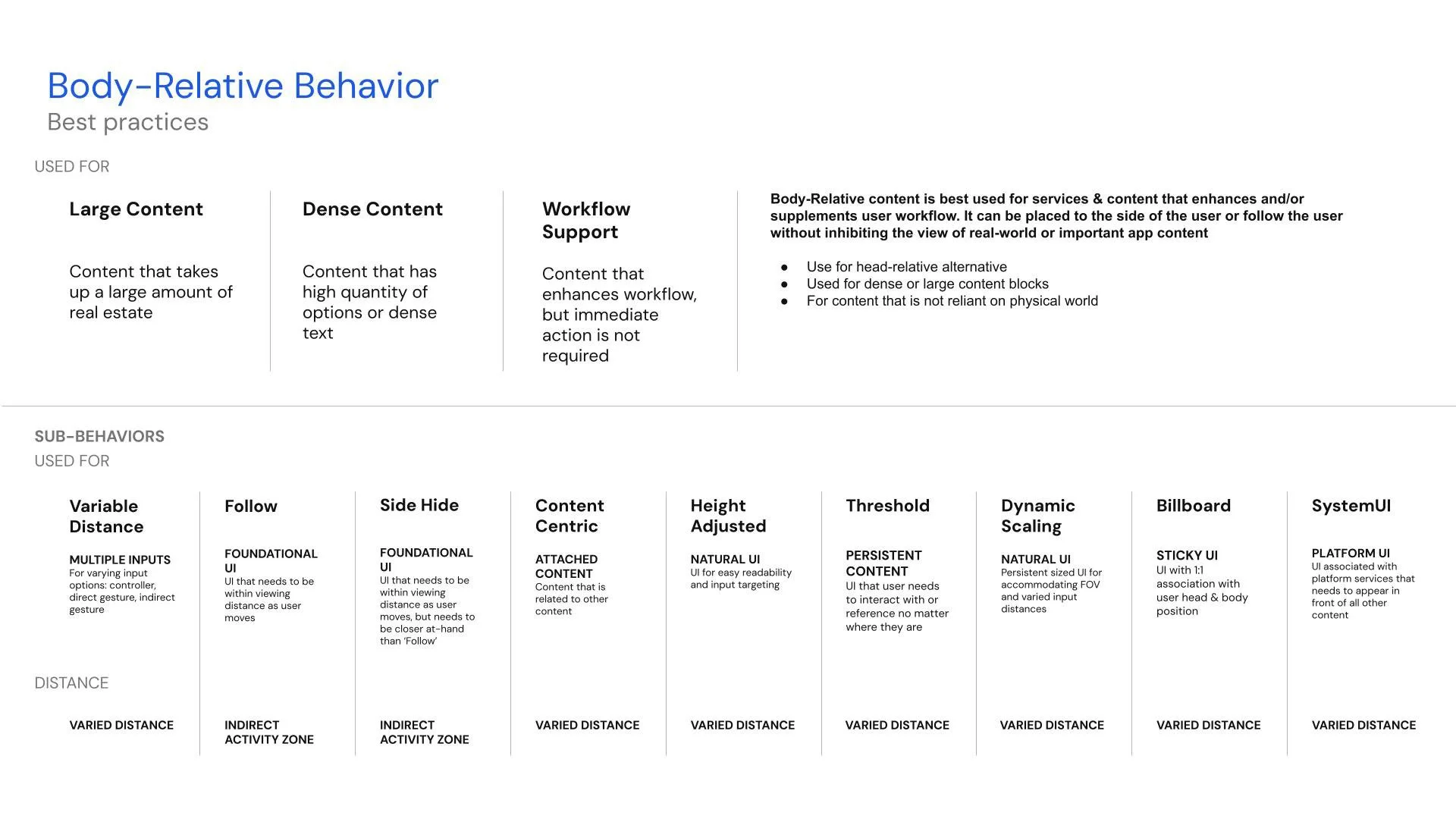
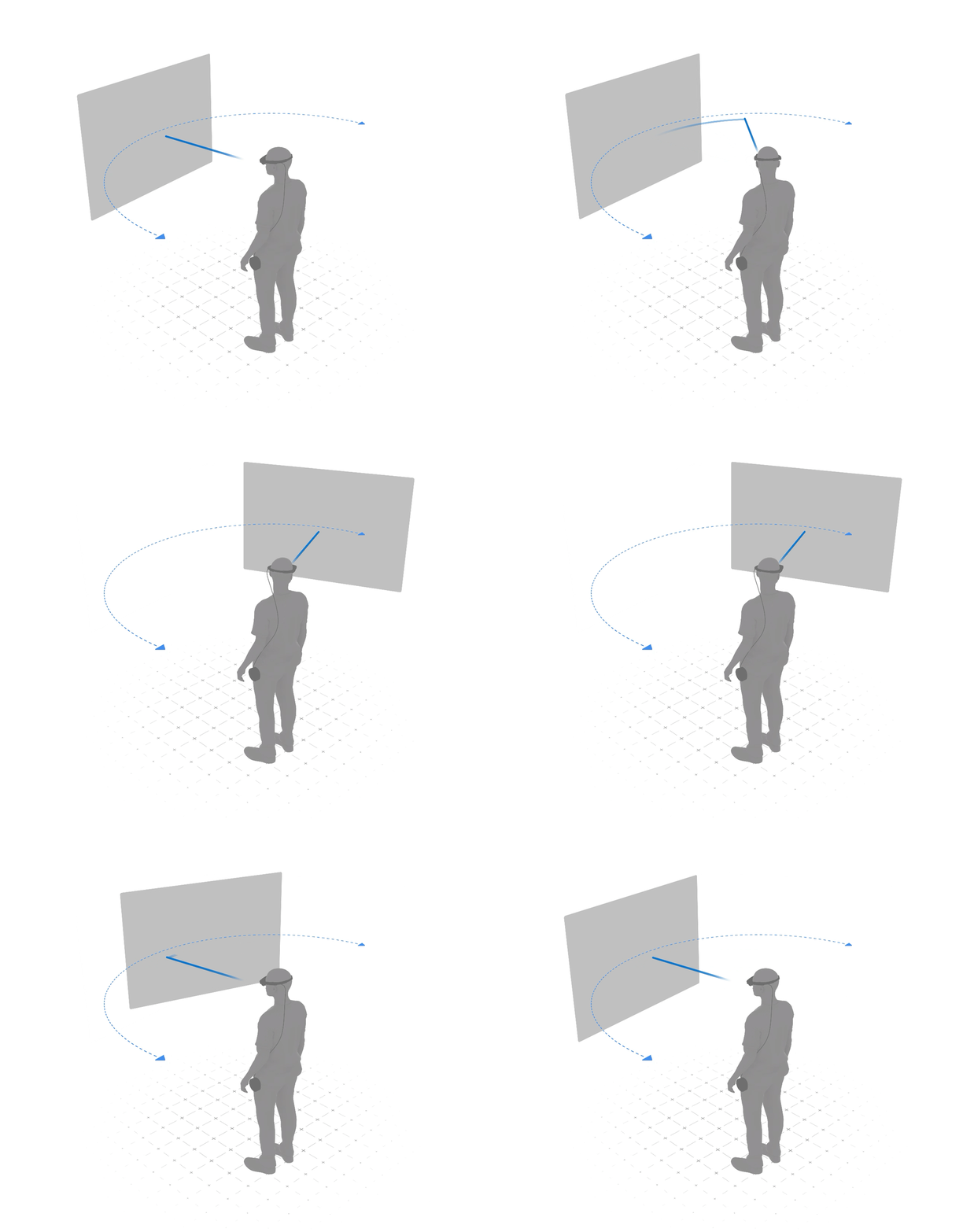
Body-Relative
Body-relative content follows movement and positioning based on the user’s body position. Content spawns directly in front of the user, but when the user looks to the right, for instance, the content stays in place and does not block the user’s view. If the user wishes to reacquire the content, they can look back to the left or recenter the content using a Controller button or a gesture. The content remains a certain distance from the user, and it may follow them as they move across a room. It is always easily accessible, but it does not demand attention when real-world interaction or attention may be more important.
Characteristics
Follows movement and positioning based on user’s body position
Variable distance
Variable rotation around user
Low cognitive load
Used for
Work-spaced UI that needs to remain with the user
Enhancement to workflow
Suggested user focus
Passive attention
Not reliant on world coordinates
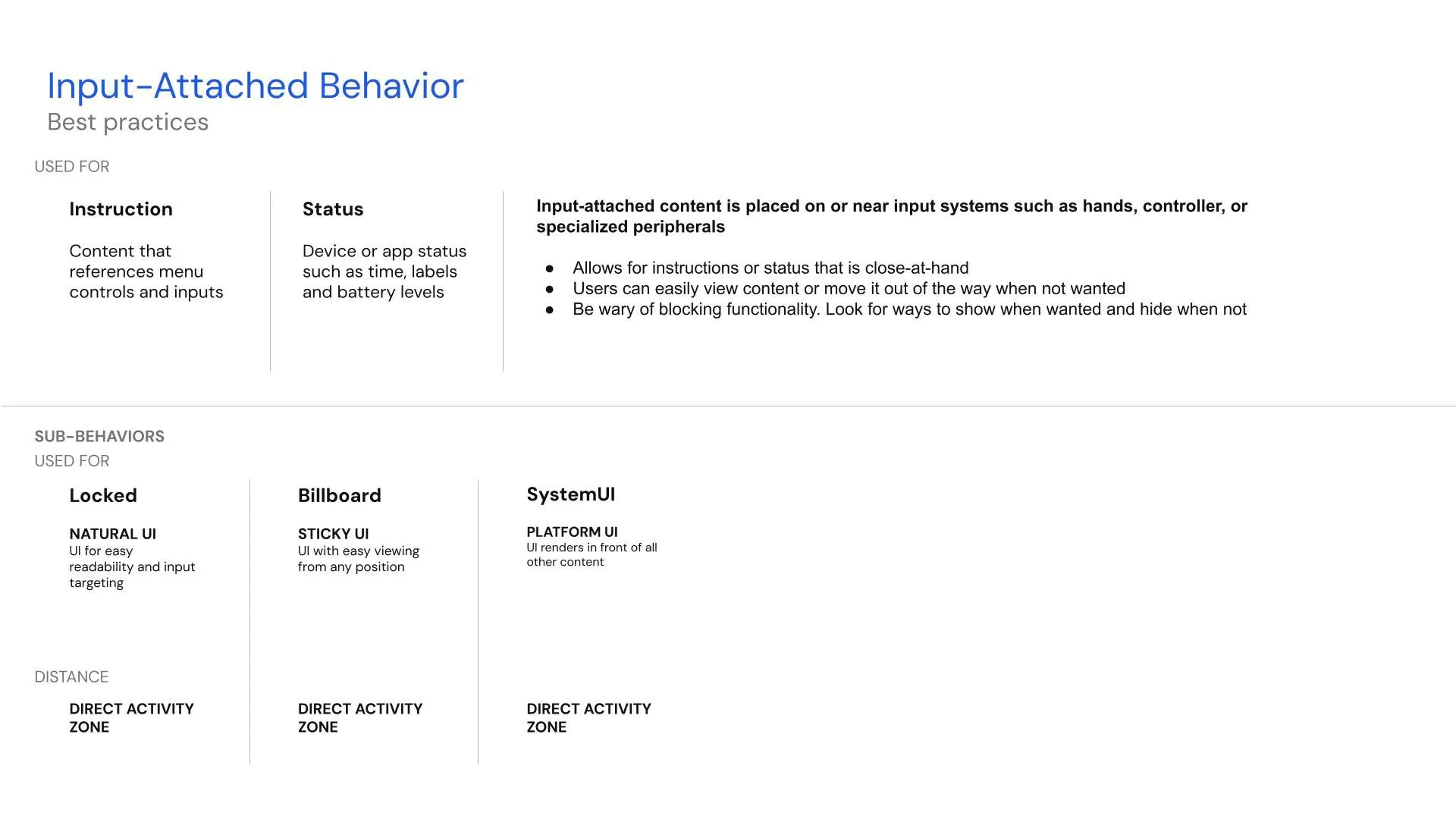
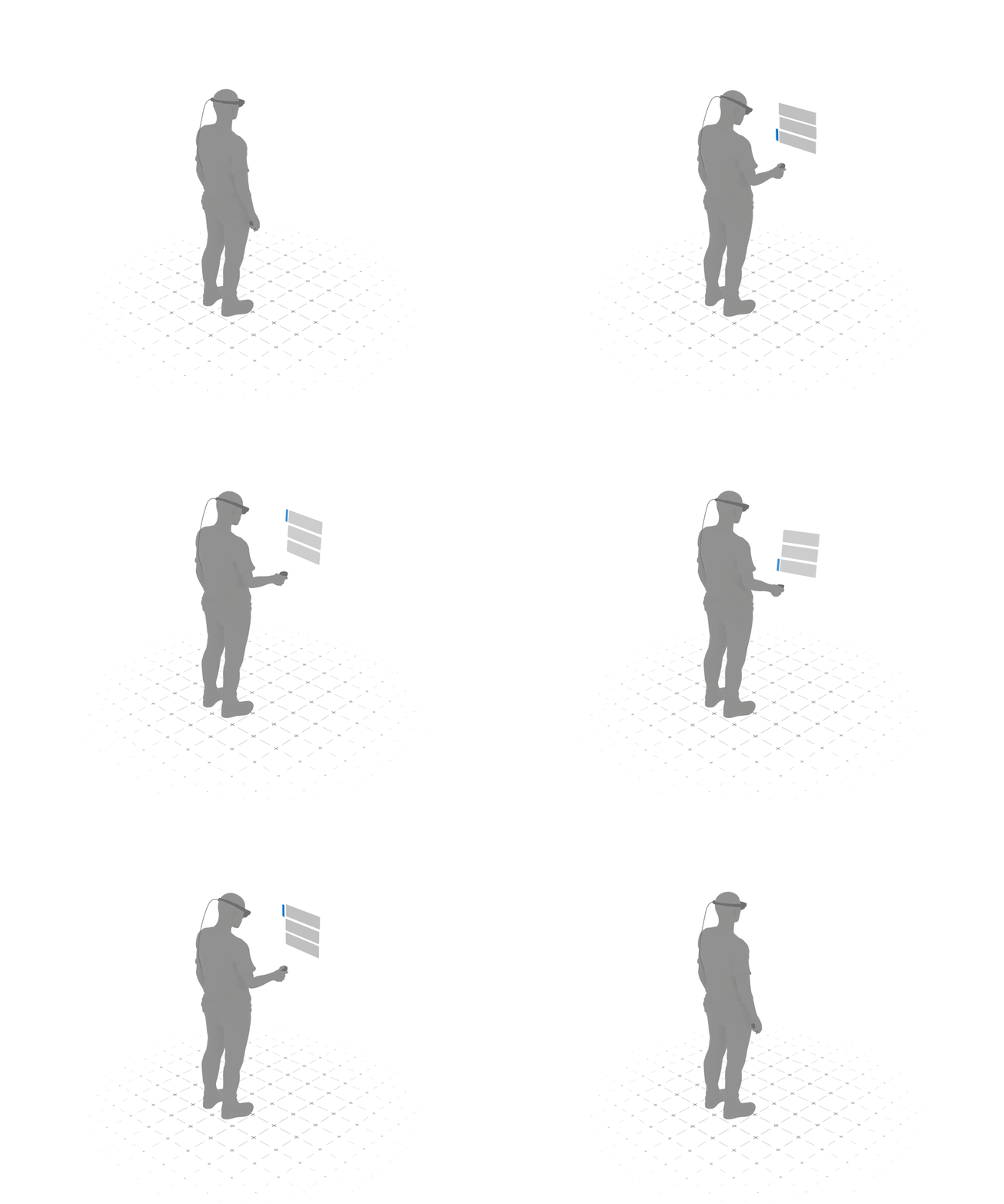
Input-Attached
Input-attached content maintains persistent x, y, z coordinates from an input system such as the user’s hand or a controller.
Characteristics
Attached to an input system, such as a user’s hand or a controller
Persistent XYZ coordinates based on the input system
Used for
Controller tooltips
Gesture controls and feedback
Attaching menus or status to persistent objects
Enhancement to workflow
Passive attention
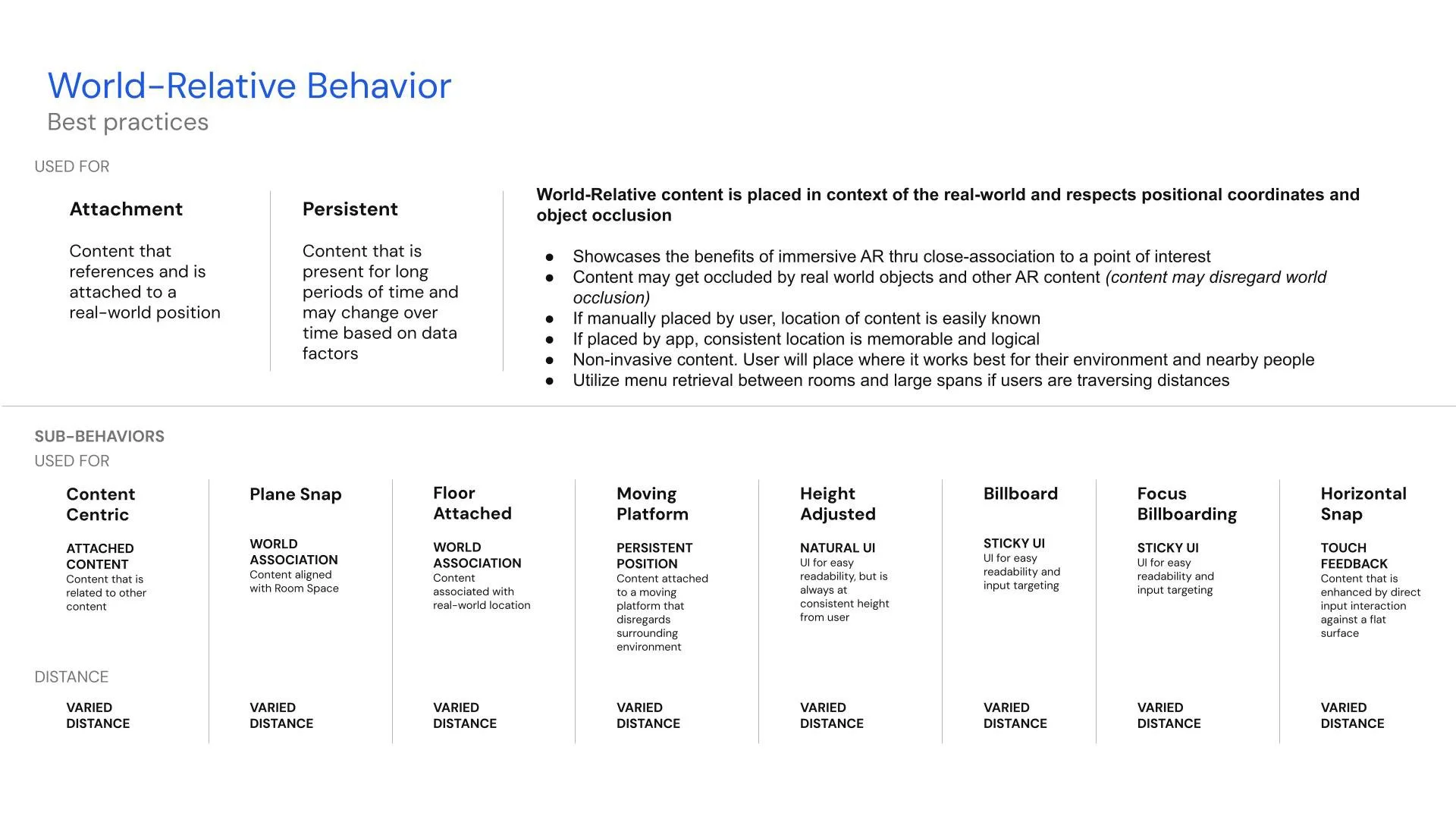
World-Relative
World-relative, or world-centric, content is attached to environments or real-world objects and relies on spatial anchors.
Characteristics
Attached to physical world position
Respects all digital content and collision/occlusion
Used for
Work-spaced UI associated with the physical world
Enhancement to workflow
Suggested user focus
Passive attention
Reliant on spatial anchors
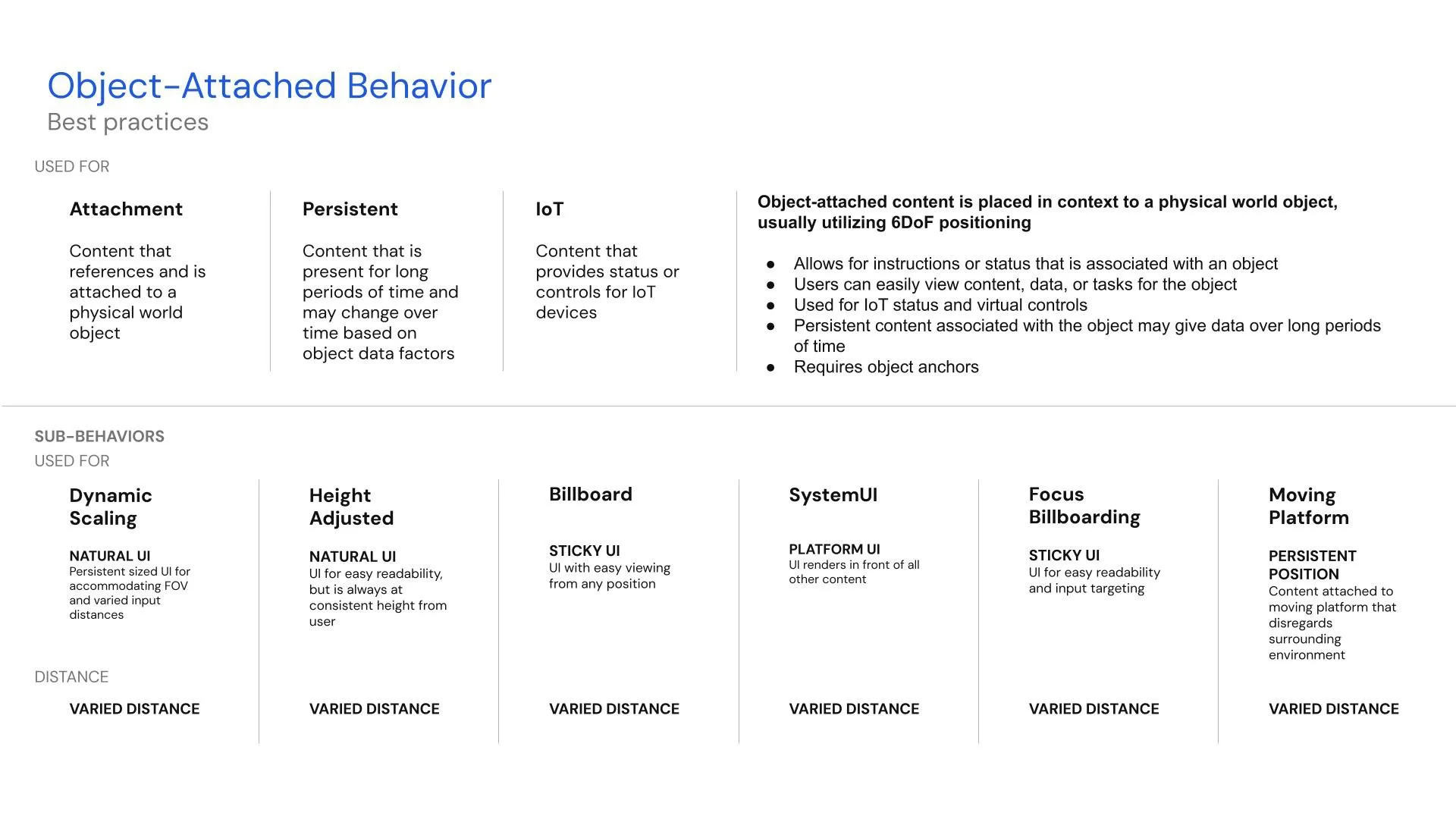
Object-Attached
Object-attached content is attached to a real-world object using spatial anchors (if the object is not going to move), or object anchors (if an object does move).
Characteristics
Attached to an object in the environment
Persistent XYZ coordinates from the object
May attain yaw, pitch or roll characteristics of object
If objects are moveable, requires object anchors
Used for
Object-associated content
Object feedback
QR Code feedback
Attaching menus or status to persistent objects
Enhancement to workflow
Passive attention
Sub-behaviors are added to archetypes to provide more customization and adaptation for unique optical see-through use cases.
Interaction Zones
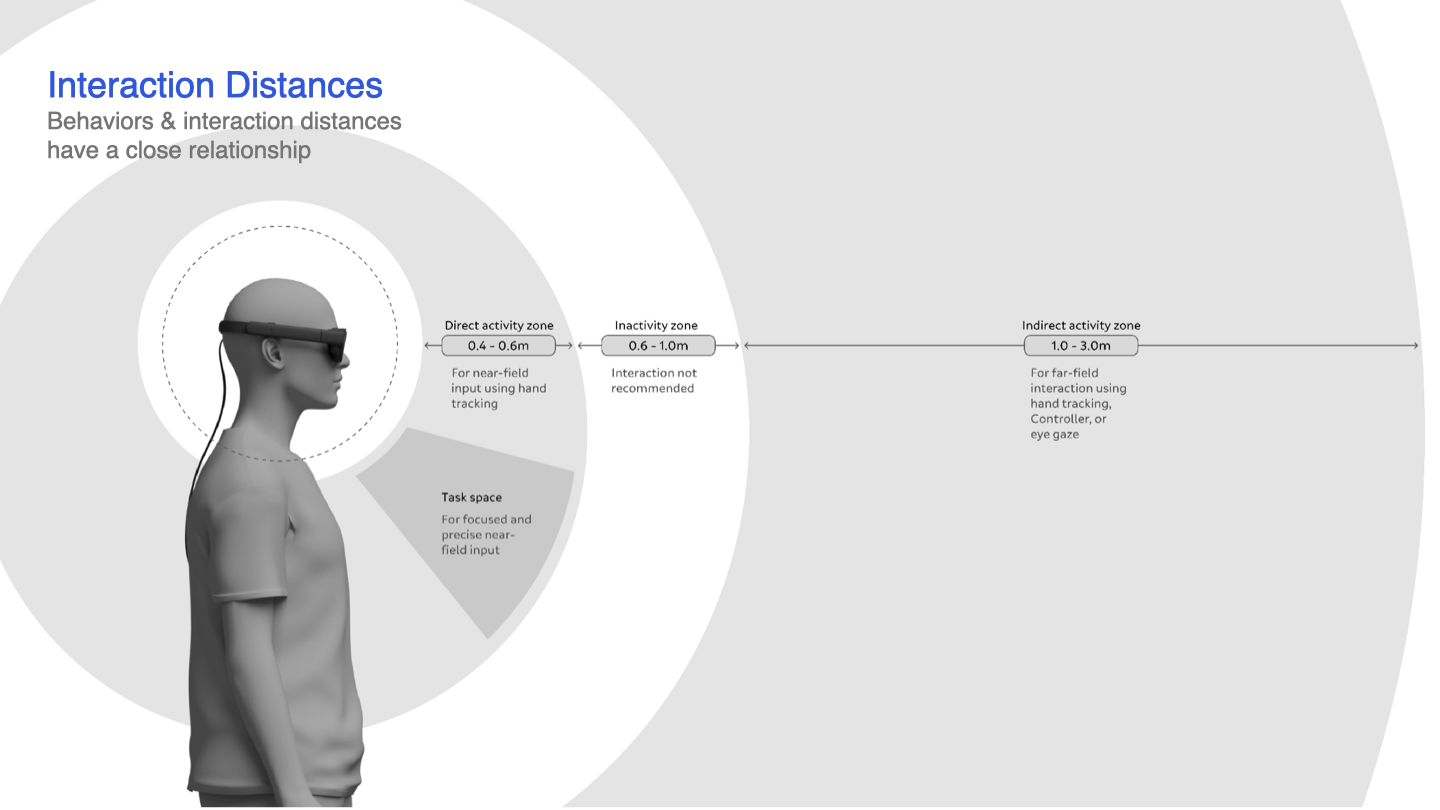
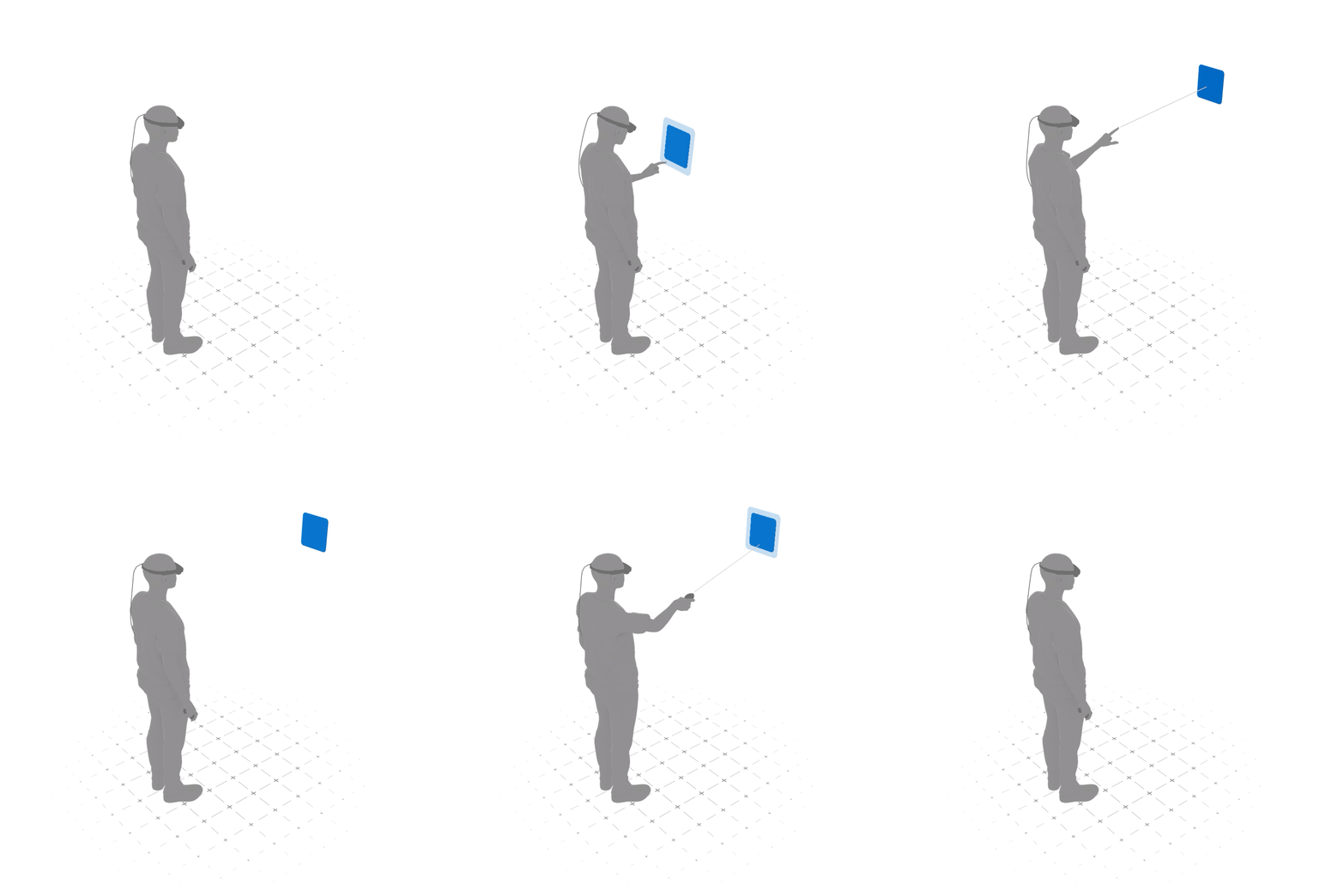
Users need to be able to navigate UI and interact with content from near and far distances using either hand tracking (gestures) or a controller.
Near Field characteristics
Direct activity zone (distance)
Attached to user position with persistent XYZ coordinates for easy access
No yaw, pitch or roll
Requires hand tracking (not to be used with a controller)
Near Field uses
Enhancement to workflows that pertain to the user or application
Easy input & interaction
Far Field characteristics
Indirect activity zone (distance)
Utilizes either head-relative or body-relative behaviors
For hand tracking and/or controller inputs
Far Field uses
Multi-modal or controller-only input flows
Object manipulation
Fine Tuning for Movement
Mitigating Micro-Movement
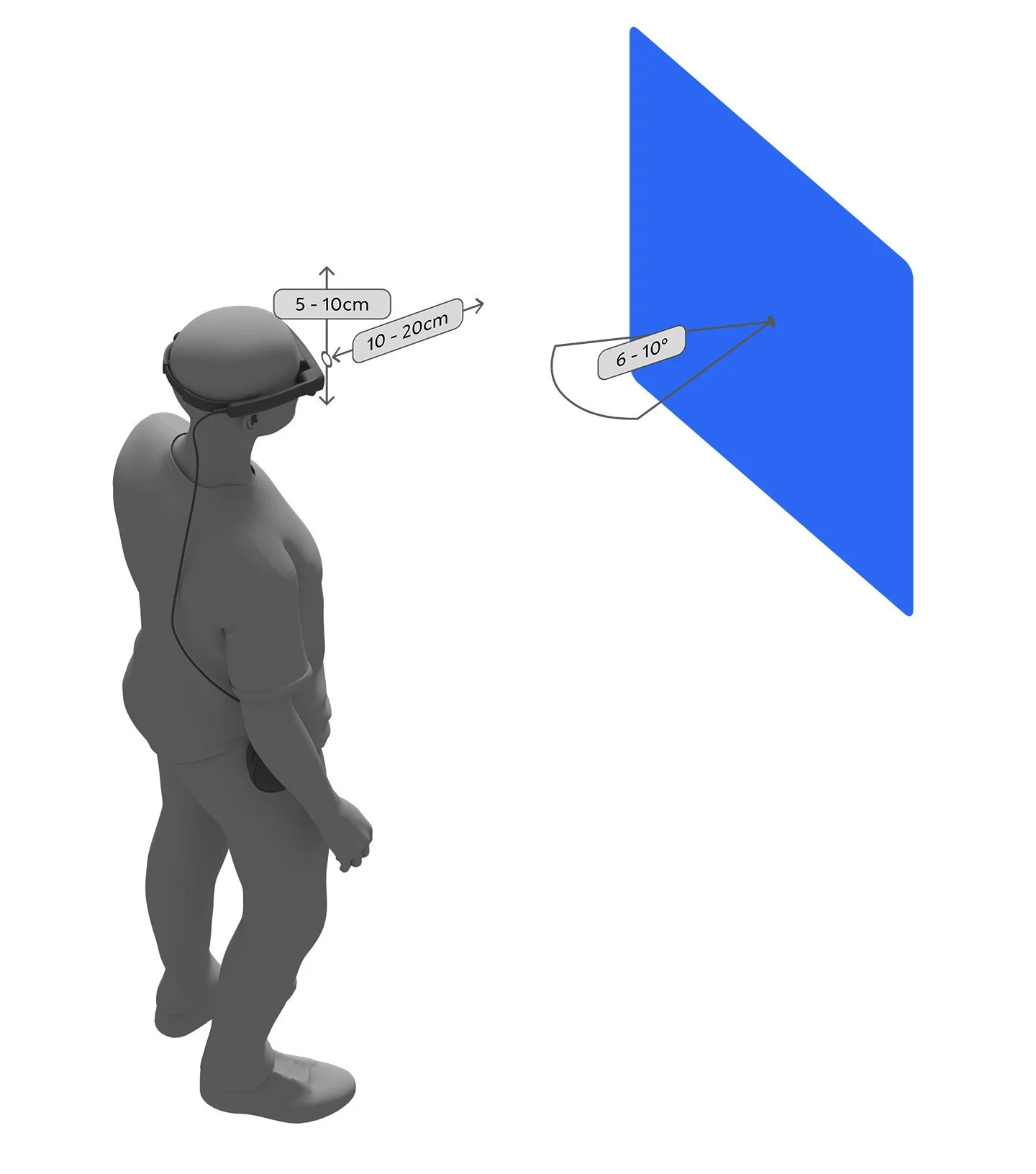
It’s important to keep content stable while users make micro-movements. Think of it like this: if you are trying to read a subway sign, the sign is stable and doesn’t move, even when you are bobbing your head side-to-side to catch glimpses of it as crowds of people cross in front of you. It is highly legible as long as you can see it from the right distance and angle.
Distance and height buffers stabilize content using thresholds that mitigate issues with head bobbing and interaction movement. Allow users to move in and out of content (depth buffer) at a distance of 10 cm - 20 cm without UI moving in depth. Allow users to move up and down by 5 cm - 10 cm (height buffer) without the UI moving in height.
Angle buffers stabilize content via angle thresholds to mitigate fidgeting and leaning. Allow users to shift from side to side without content billboarding (angle buffer) at angles ranging from 6° to 10°.
Embracing Macro-Movement
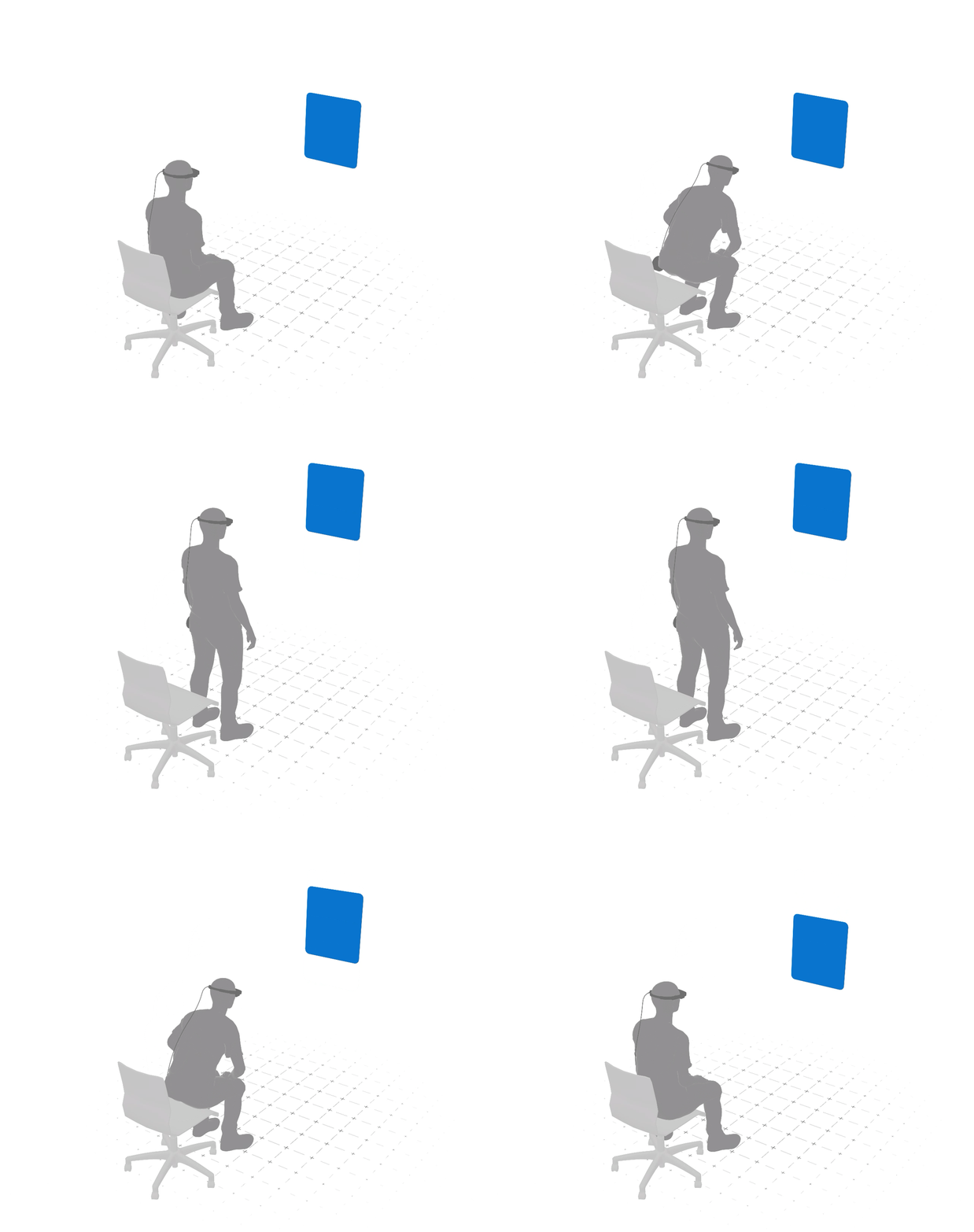
Macro-movement is purposeful user movement, such as transitioning from sitting to standing, turning the head to view content outside the FOV, or walking around a room or table. Content should adjust to these new user positions to remain legible and interactive.
Embracing macro-movement is accomplished through breaking through the buffer limiters and sub-behaviors. For example, when a user moves toward content beyond a 10cm depth buffer, the content could use a variable distance buffer to move farther from the user, or scale down using the dynamic scaling sub-behavior. Or another example is when a user moves from a sitting position to a standing position. When the height buffer is broken as the user moves up more than 10cm, the height-adjusted sub-behavior is utilized to realign content to the user's new height position.
During content transitions between positions, the recommendation is that content use a “lazy follow” pattern so it remains legible during the transition.
Best Practices