What is Home?
Home is the main OS focal point for the Magic Leap 2 device. It’s where users launch, quit, or switch apps, view quick device status and high-level controls, and where a device session starts and ends. It utilizes multimodal inputs - including controller input, voice, hand tracking, and peripherals - and moves with the user as they traverse their physical environment.
Responsibility:
UX Design Lead
Results:
Four years after the ML2 product launch, Home has stood the test of time with very few changes. Users found it easy to understand and navigate, and it continued to function well as new input options (gesture and eye gaze) came online. The designs and patterns created during its development helped answer larger platform questions such as z-depth hierarchy, UI behaviors and micro-interactions, art pipelines and asset creation, headpose and Controller inputs, and brand color and icon treatments.
Home is a quick-access UI system where users spawn a launcher, open an app or check WiFi status, then exit to enter an application. Users “carry” Home wherever they go for instant access - anywhere and at any time. Home allows users to move between sitting and standing, walk forward or reverse, and switch between Controller, gesture, eye gaze, and voice inputs.
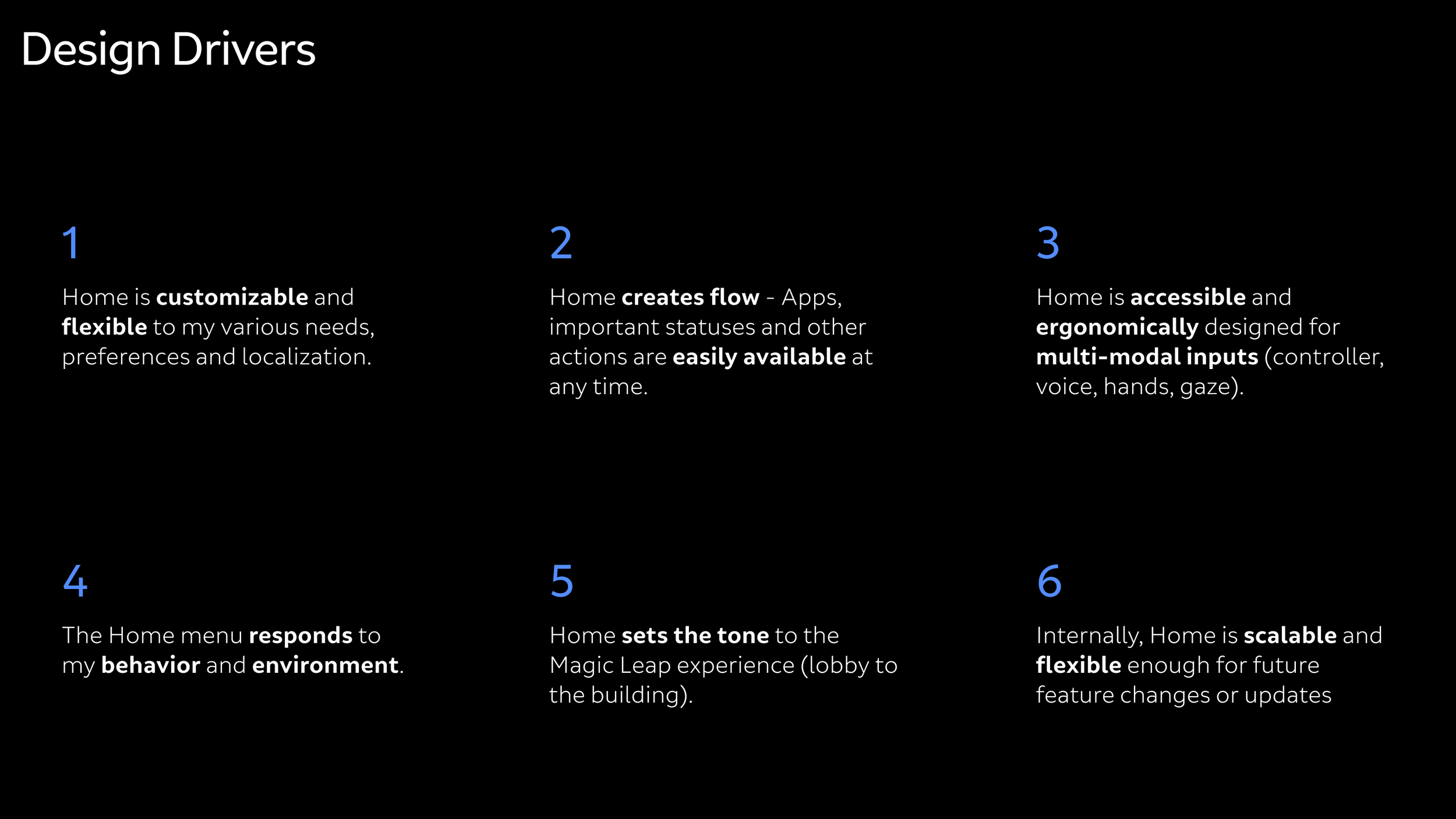
Home Essentials
Dedicated Controller button and hand gesture for easy access
Not reliant on environmental coordinates
Content behaviors based on user position
Efficiency in launching apps, adjusting quick controls, and at-a-glance device status
Scalable from one-to-many apps
Multi-user devices
Multi-modal inputs
Compute-efficient
Limited app management (no install, delete, or favorites)
Runs on our native Lumin platform (later moved to Unity)
60601-b medical compliant
Home Components
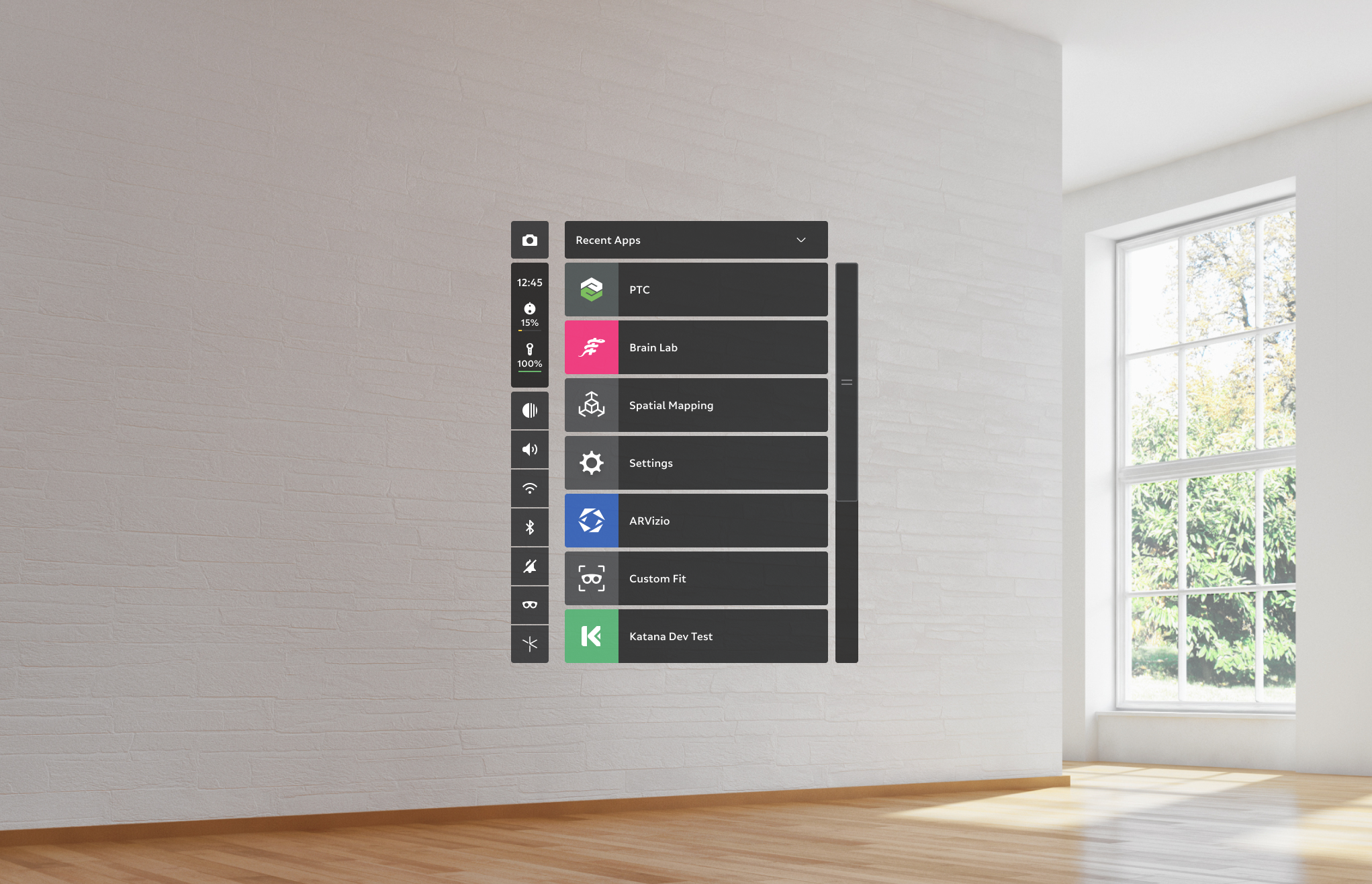
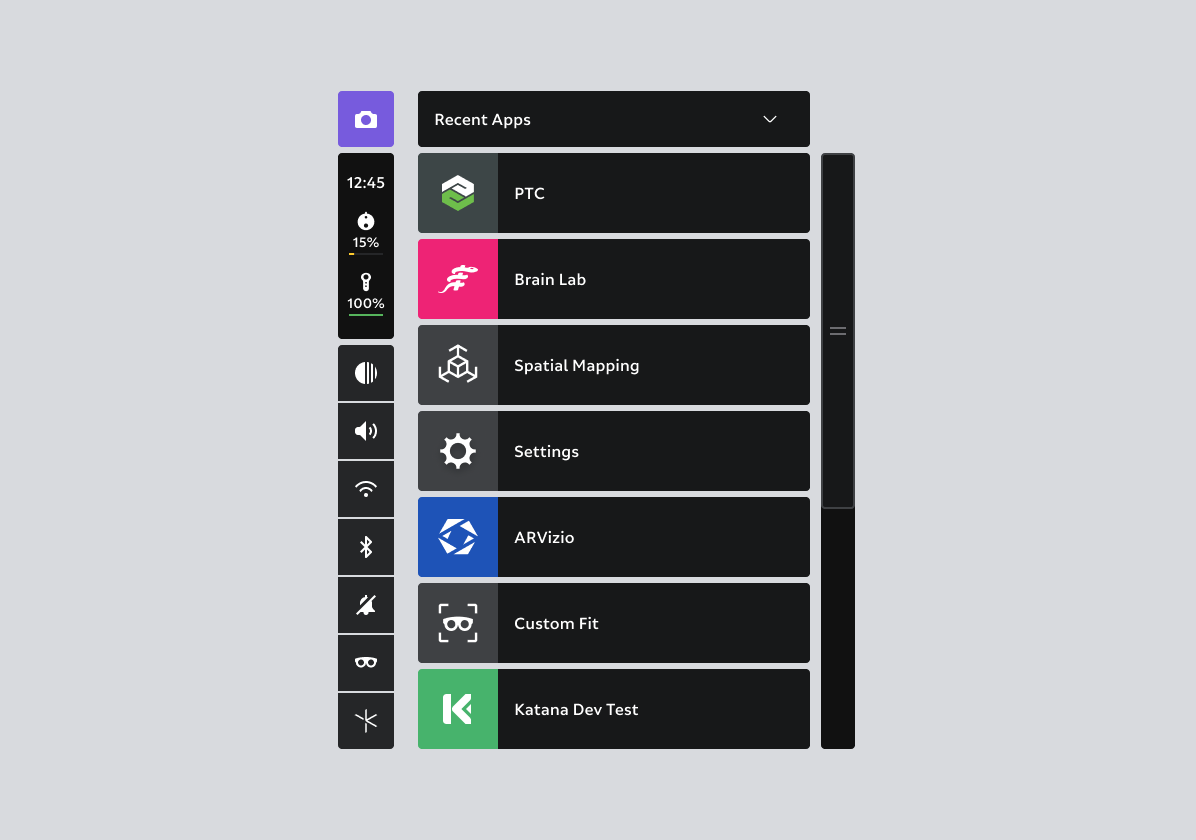
Home consists of four major components:
App list
Capture
Device status
Quick settings
App List
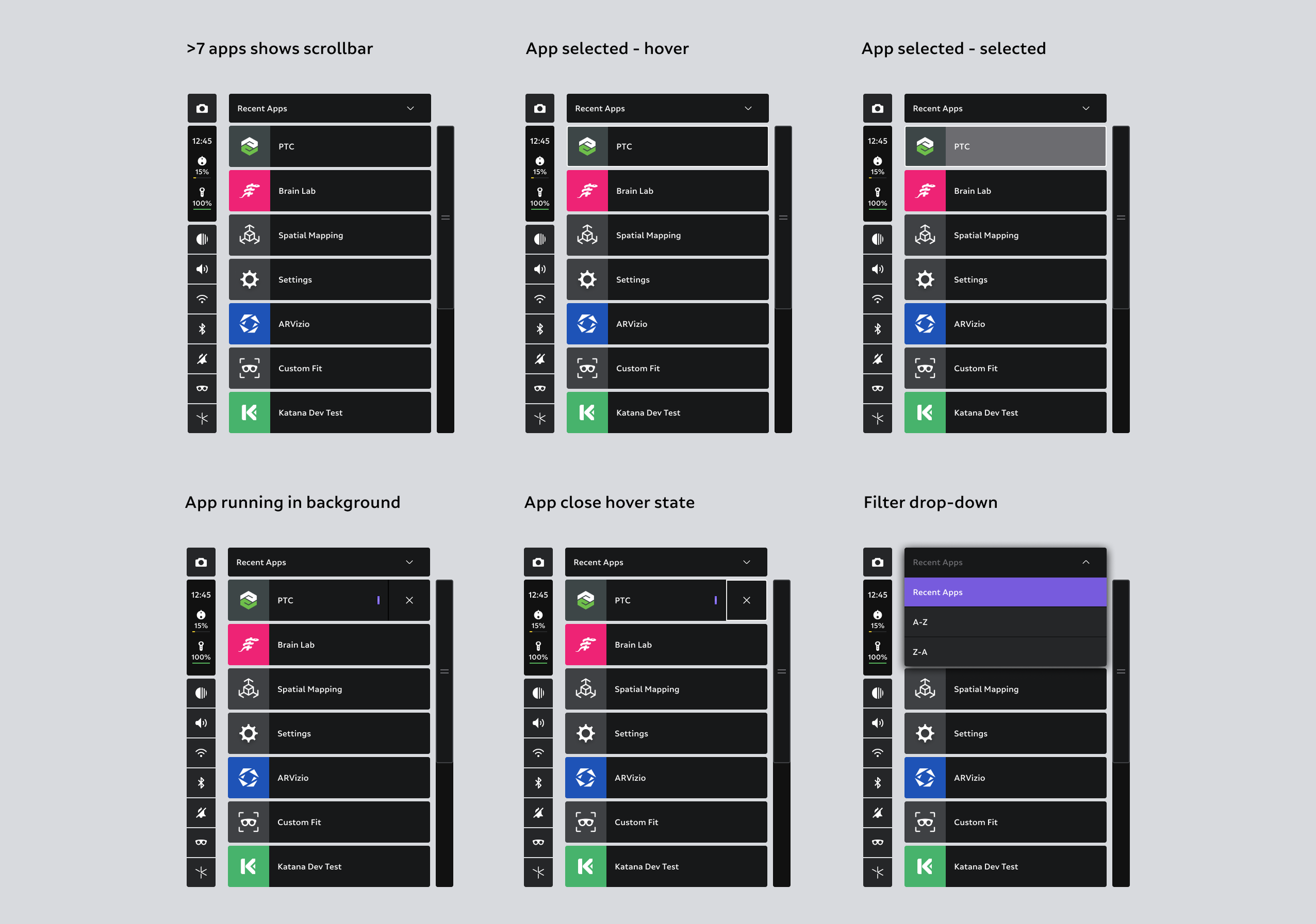
The app list includes a list view of up to seven apps at a time. If >7 apps are available, the scrollbar becomes available. Apps can be sorted using a simple drop-down filter list for recents, ascending, and descending order.
Capture
For easy discovery, the Capture button starts the Capture service. It can also be accessed through voice commands, gestures, and a Controller chord if capturing within an application.
Device status
Device status is a quick-view component that shows time, compute pack, Controller, and external power bank battery percentages.
Quick settings
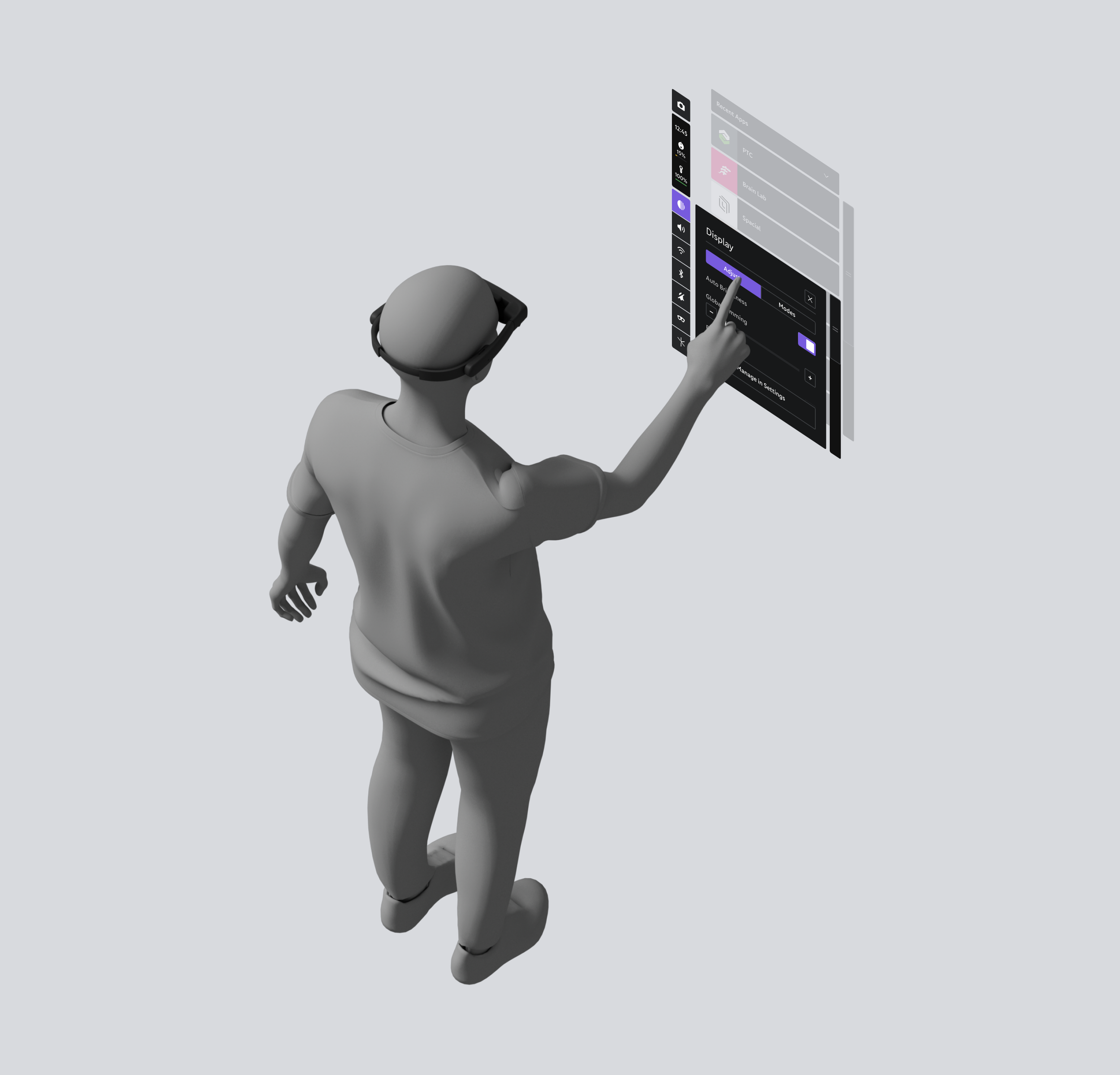
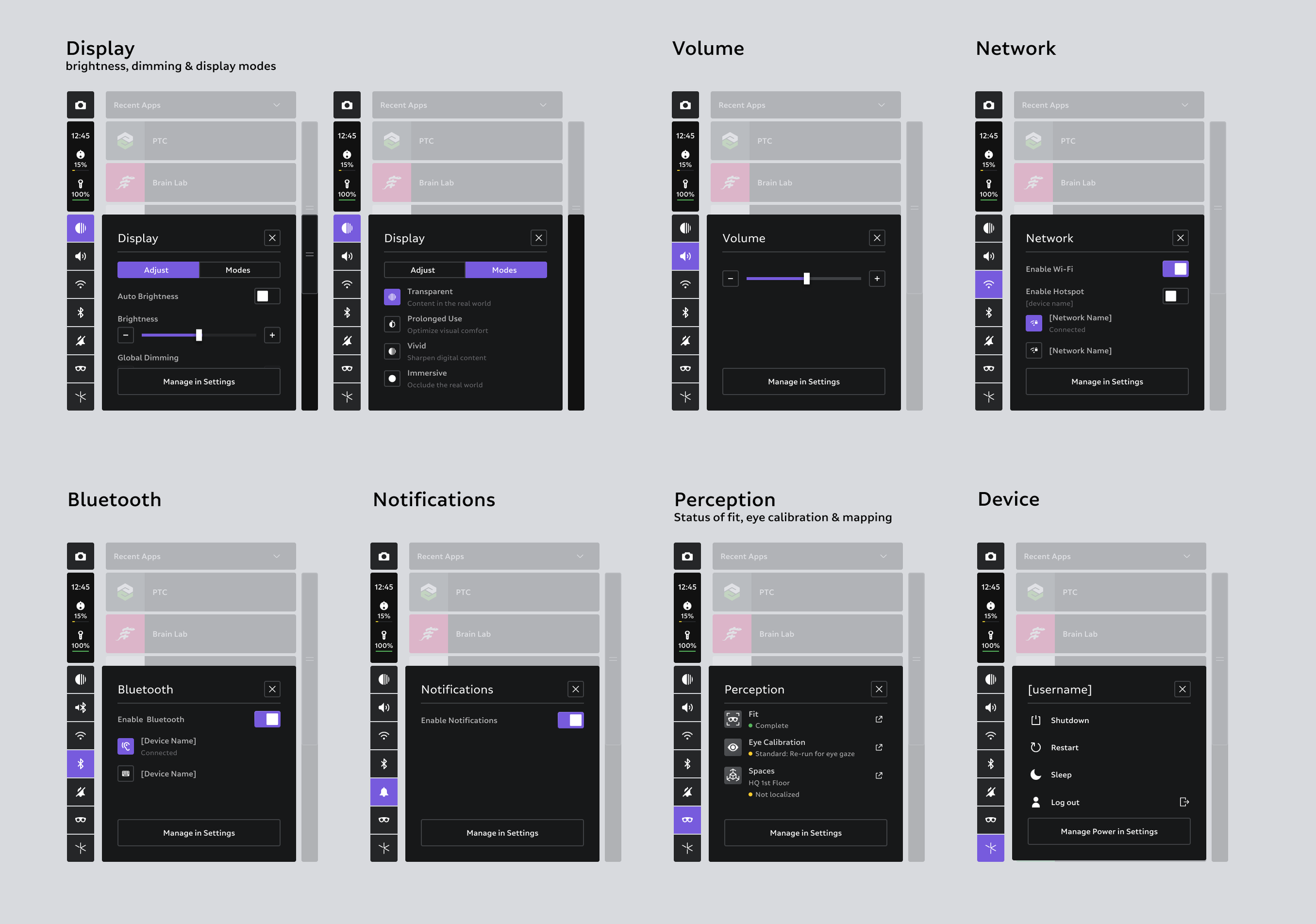
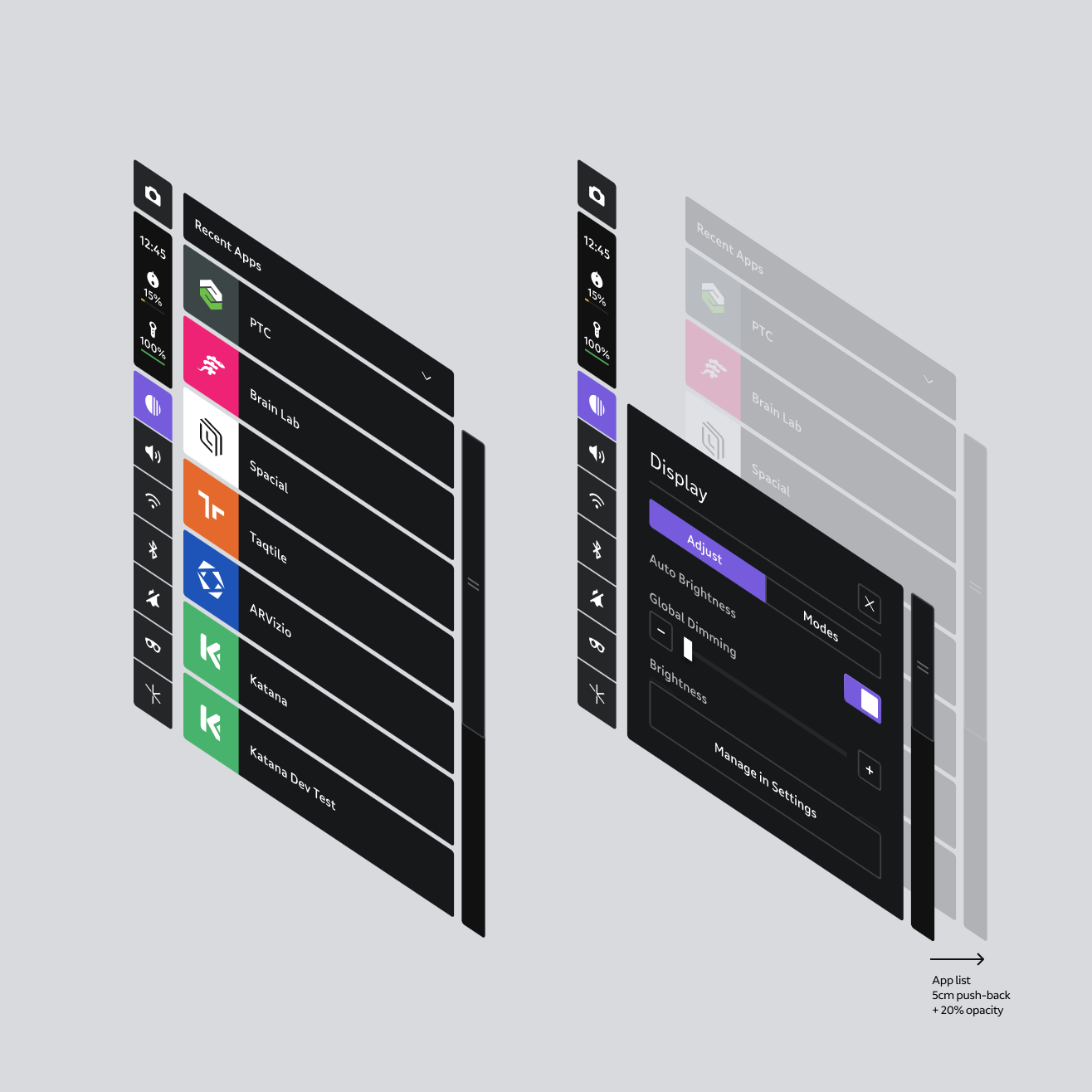
Quick settings are top-level preferences that users can easily access without opening up Settings. The left-side settings buttons show quick-view status, such as WiFi on and volume level. Selecting a button pushes the app list back 5cm, applies 20% opacity to enhance workflow feedback focus, and opens the quick settings modal.
Behaviors & sub-behaviors
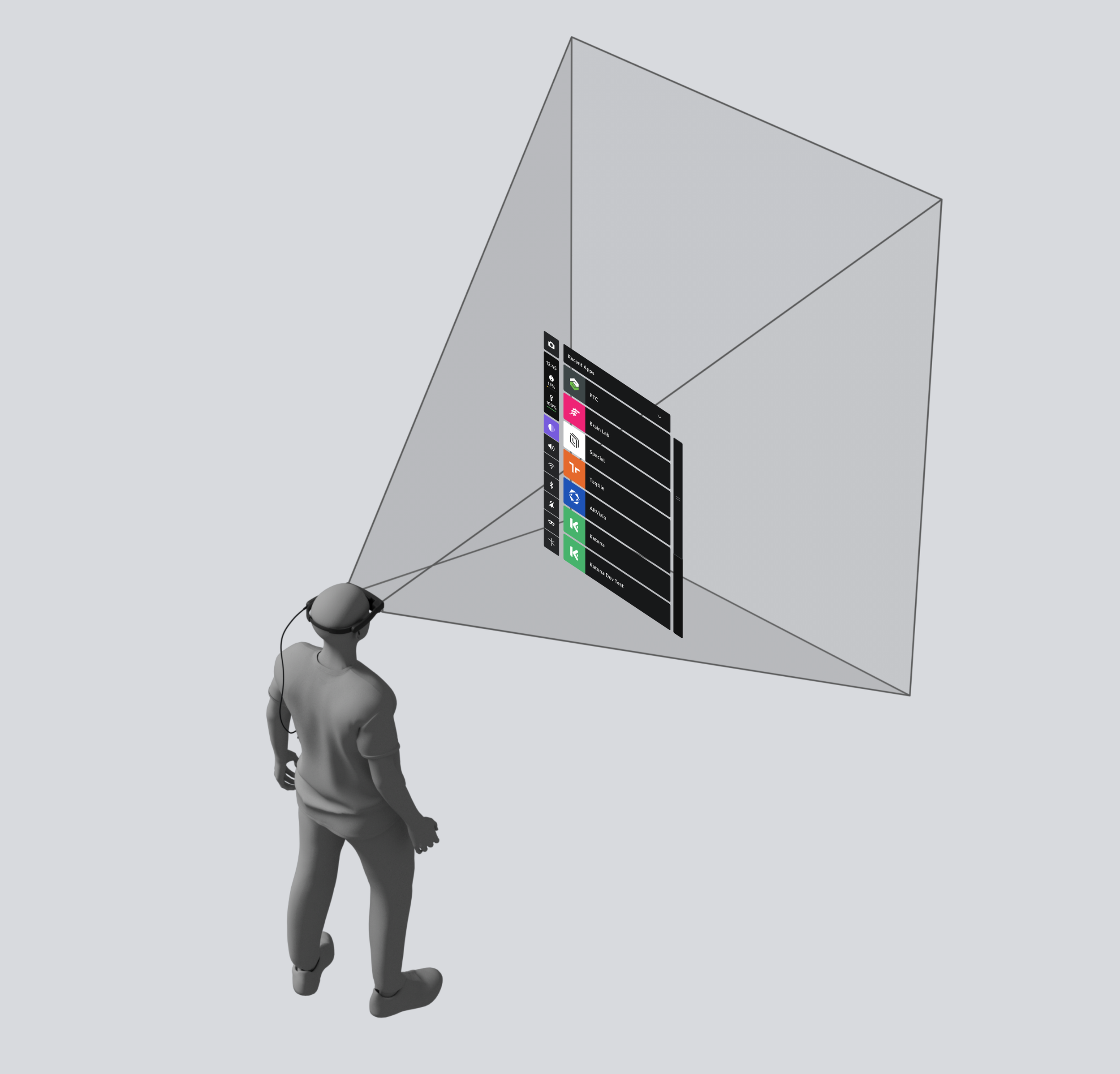
Home utilizes a body-relative behavior with lazy follow, variable distances, user follow, height-adjusted, and billboard sub-behaviors. See Behaviors for more info.
Micro-movement buffers
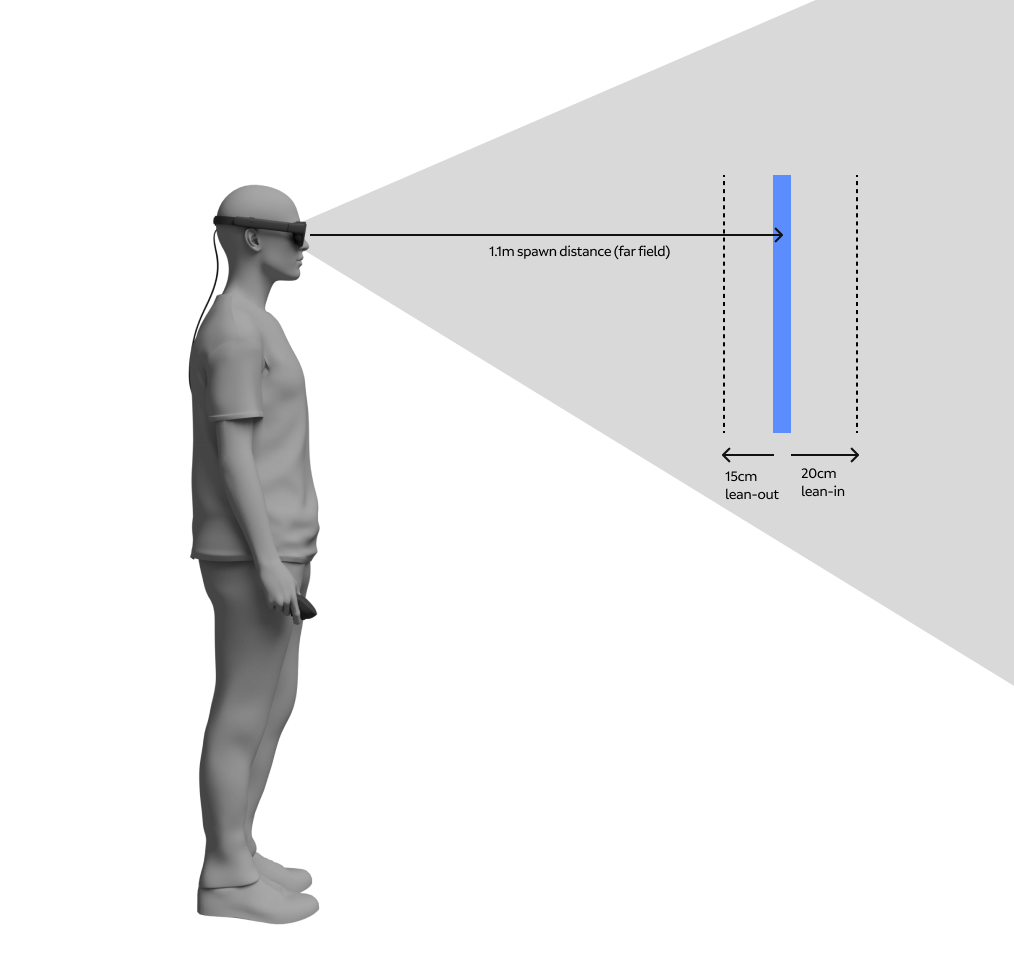
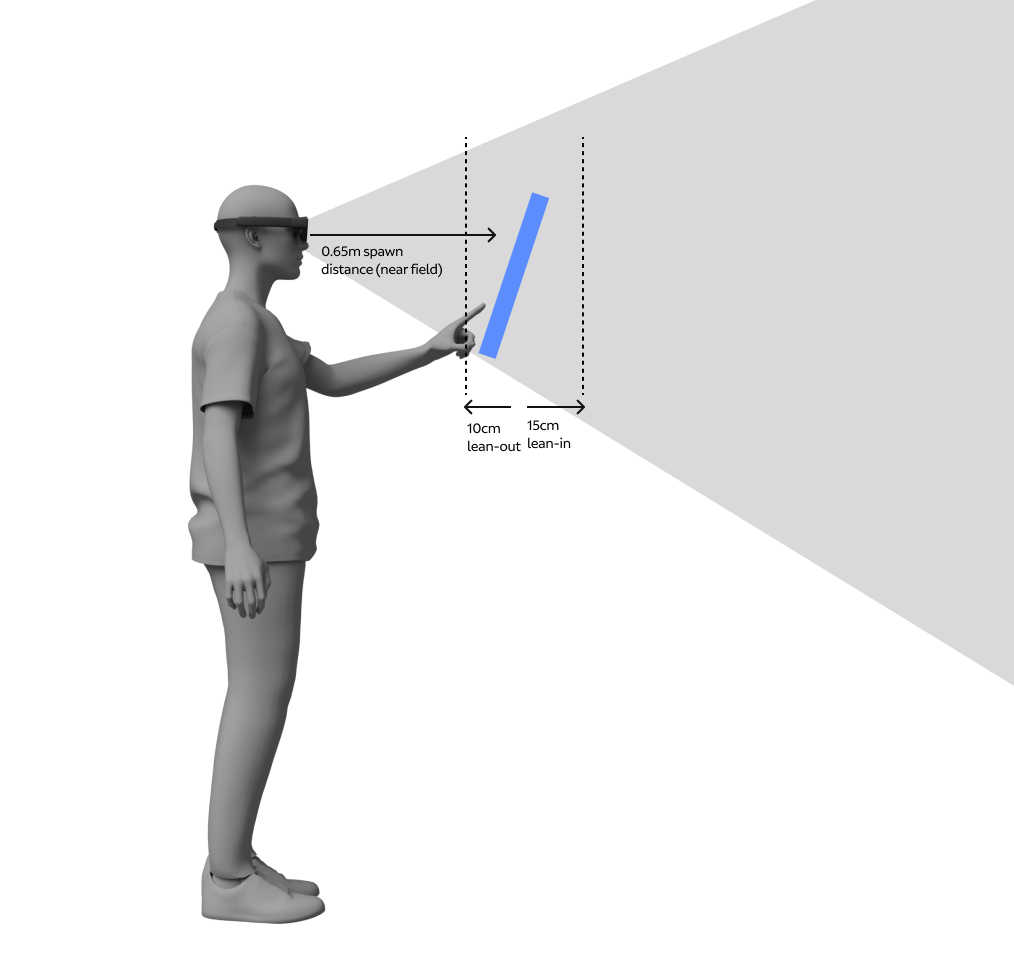
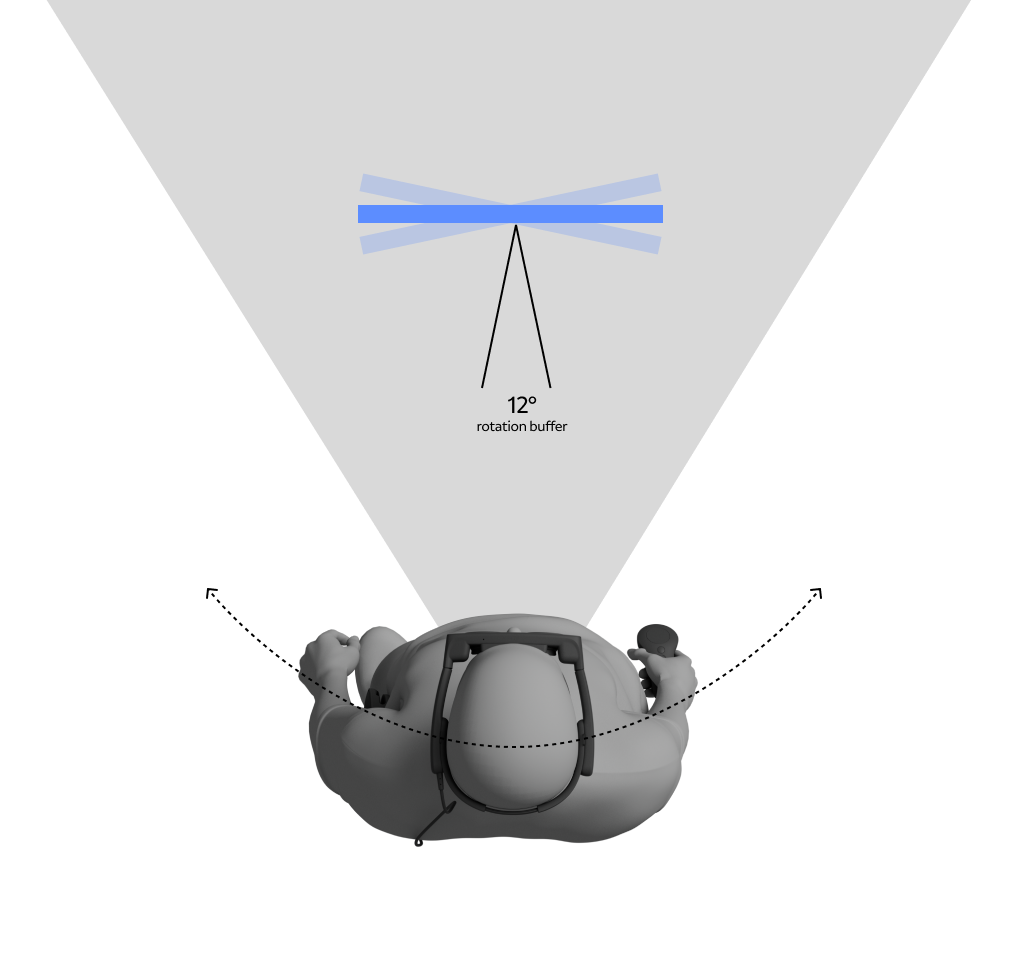
Users are always moving, even when they are trying to stand still. To mitigate user micro-movements such as swaying, leaning in or out, fidgeting, and input movement, we designed macro-movement buffers. The depth buffer accounts for a 15 - 20cm lean-in before pushing Home away, and 10 - 15cm lean-out before attracting Home in z-depth. Angle rotation allowed for 12° user rotation around Home before billboarding to the user.
Macro-movements
Users need the ability to stand up, sit down, move across a room, or turn their head while Home is present. Interpreting how Home should react in these instances was tricky since we had to interpret user intent. Height-adjusted buffers were added to accommodate large-scale user height movement. When users walk in the direction of Home we added friction so Home stays in front of them until a 4° path rotation occurs, at which time Home slides to the side and then behind the user. For head rotation, we kept Home in place without tethering Home to allow users to look to the side.
Home app states
Home interactions
Home behaviors